01 · Control room
Service dashboard
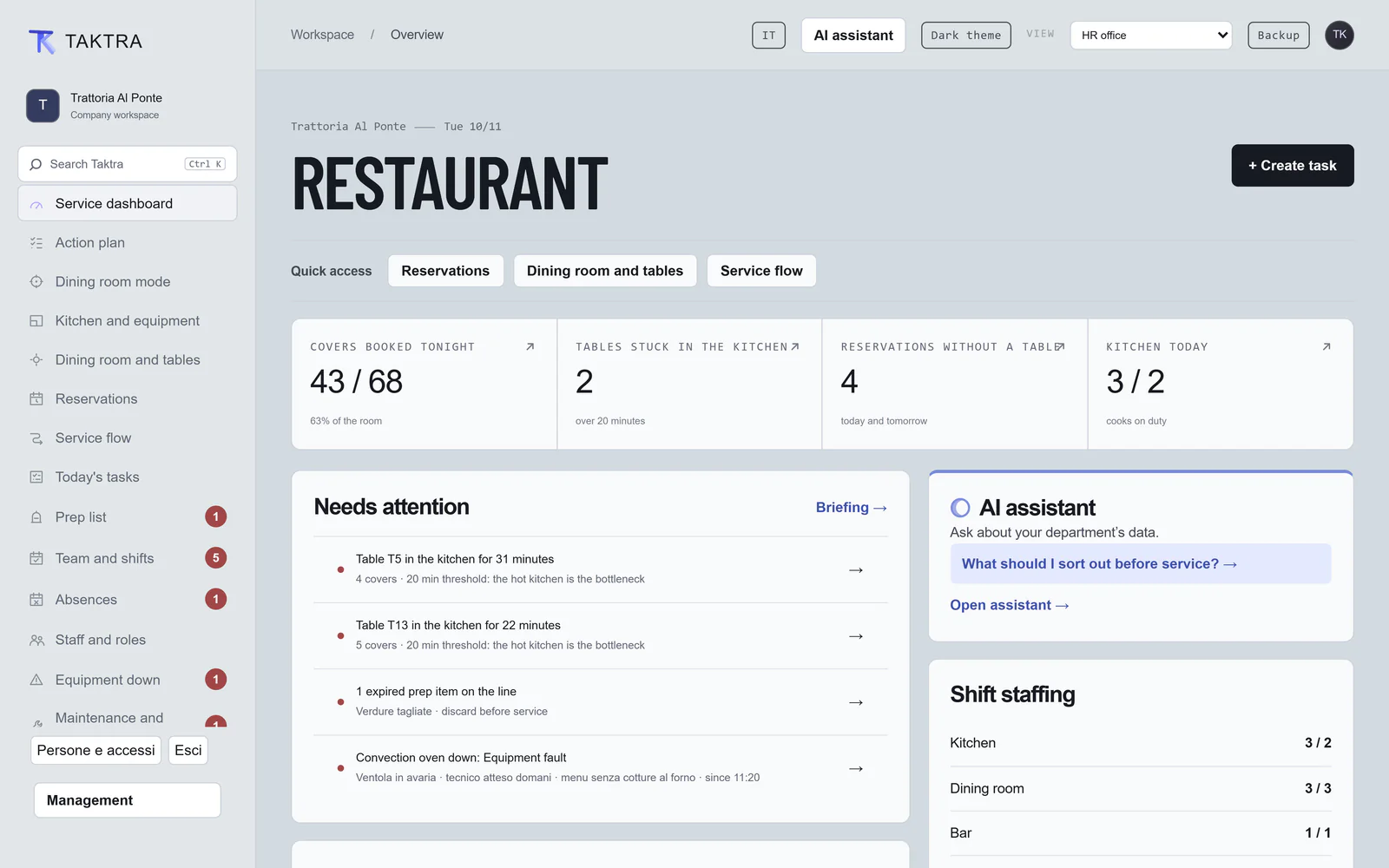
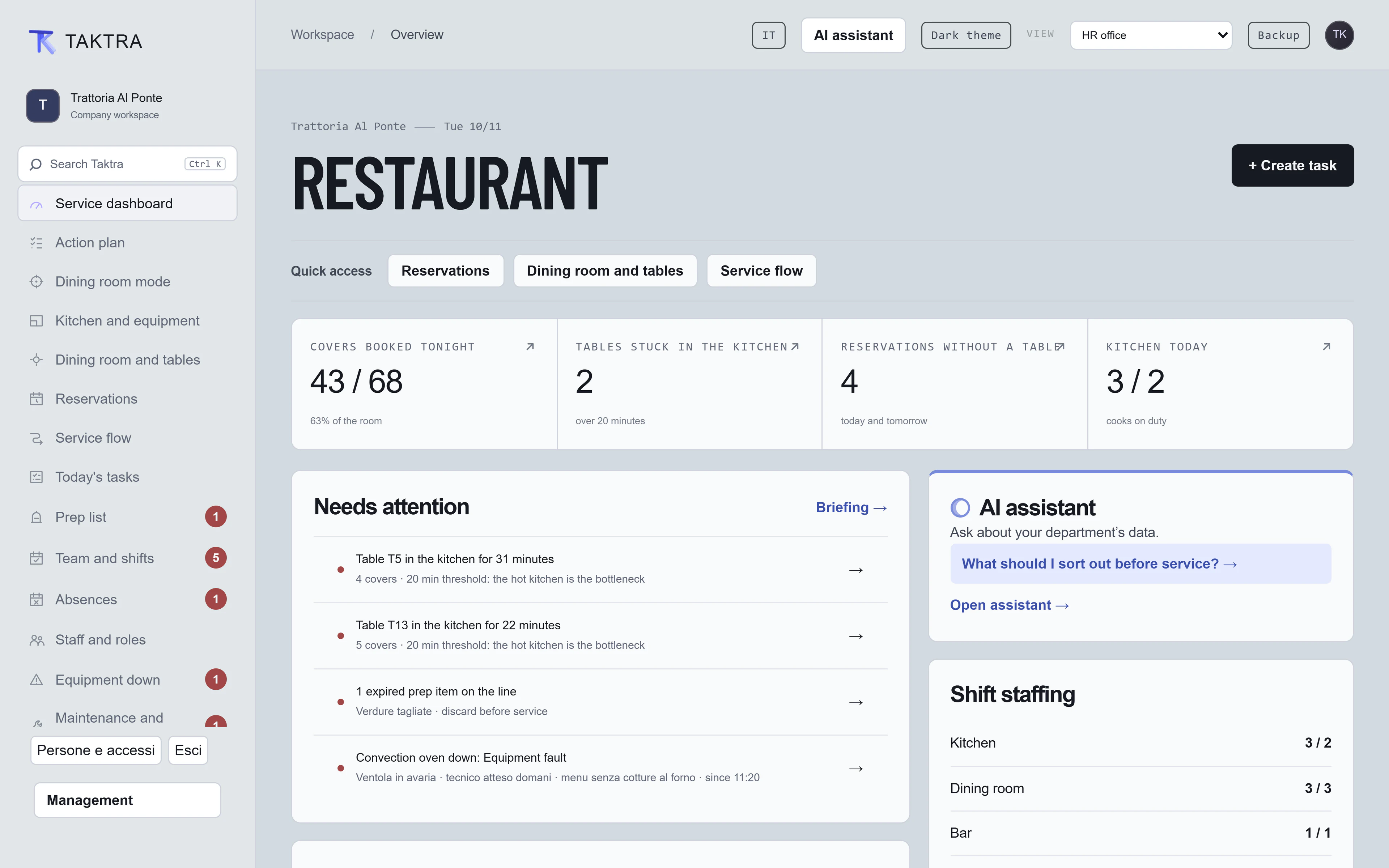
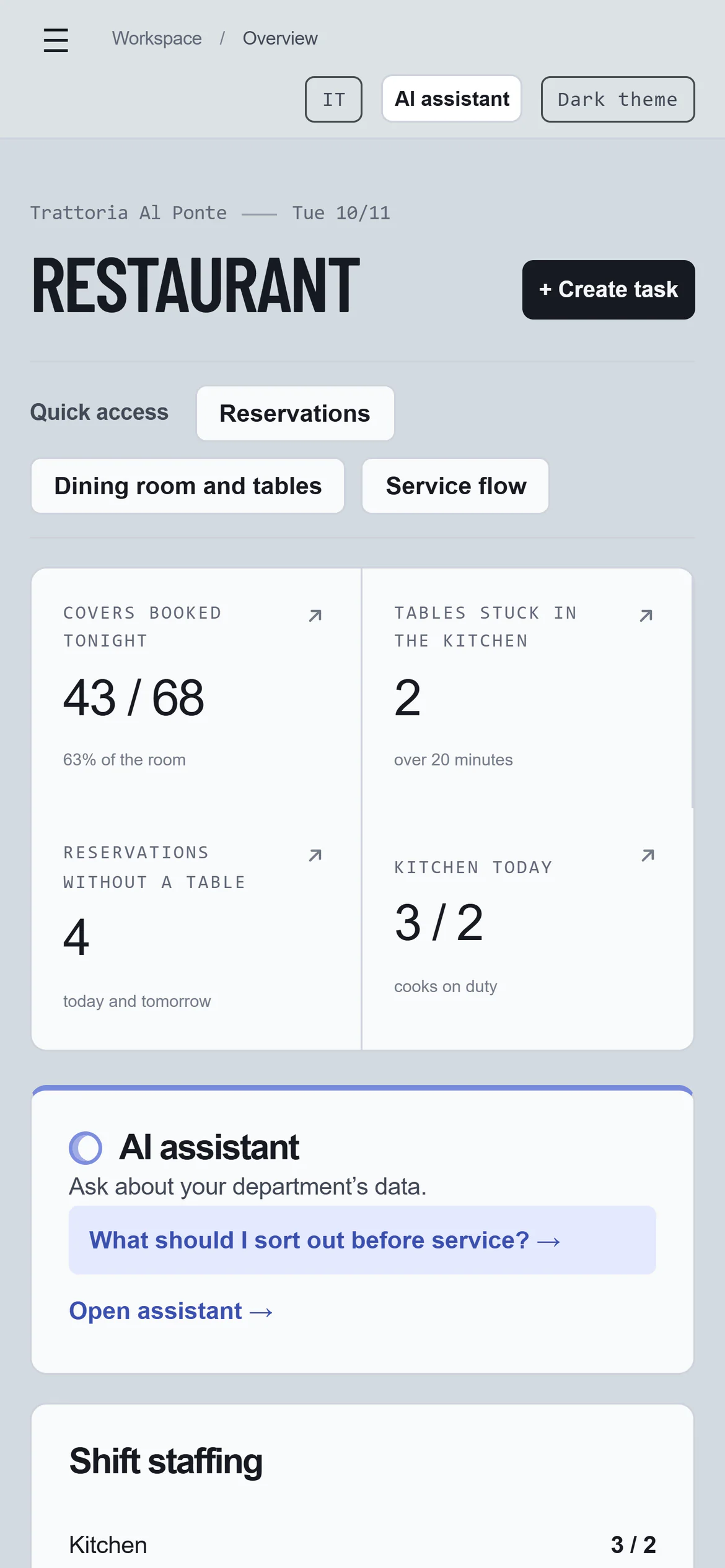
Covers booked tonight against capacity, tables in the kitchen over 20 minutes, reservations without a table, cooks on duty. Quick access to reservations, dining room and flow.
Restaurants
Reservations against capacity, tables that move forward with a tap, the stage slowing the evening down made obvious. And behind it, brigade, suppliers and menu in the same place.
Opens at once with sample data: no sign-up, no card.
Every morning
The service dashboard opens with booked covers against capacity, tables stuck in the kitchen too long, reservations without a table and cooks on duty. Below, “Needs attention”.
Real examples from the “Needs attention” list in the sample workspace.
Sound familiar?
Inside the app
Scroll: the screens come apart. Each layer is a piece of the day, and they all read the same data.
21 modules
Dining room, kitchen, brigade and suppliers read the same data. Here Taktra does not talk about job orders: it talks about tables, covers, shifts and dishes.
The state of service, at a glance.
Covers booked tonight against capacity, tables in the kitchen over 20 minutes, reservations without a table, cooks on duty. Quick access to reservations, dining room and flow.
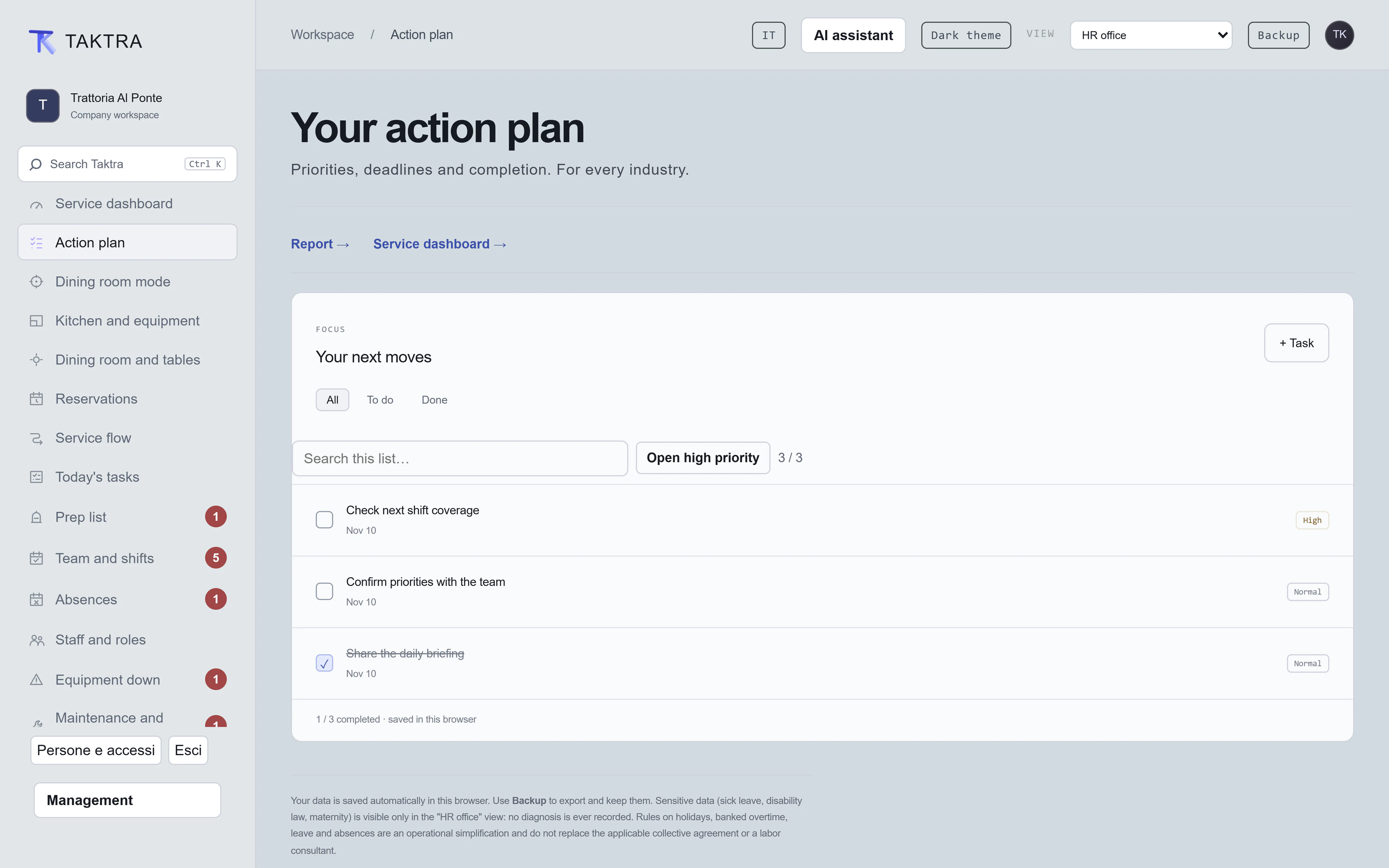
Your next moves with priority and due date, ticked off one by one.
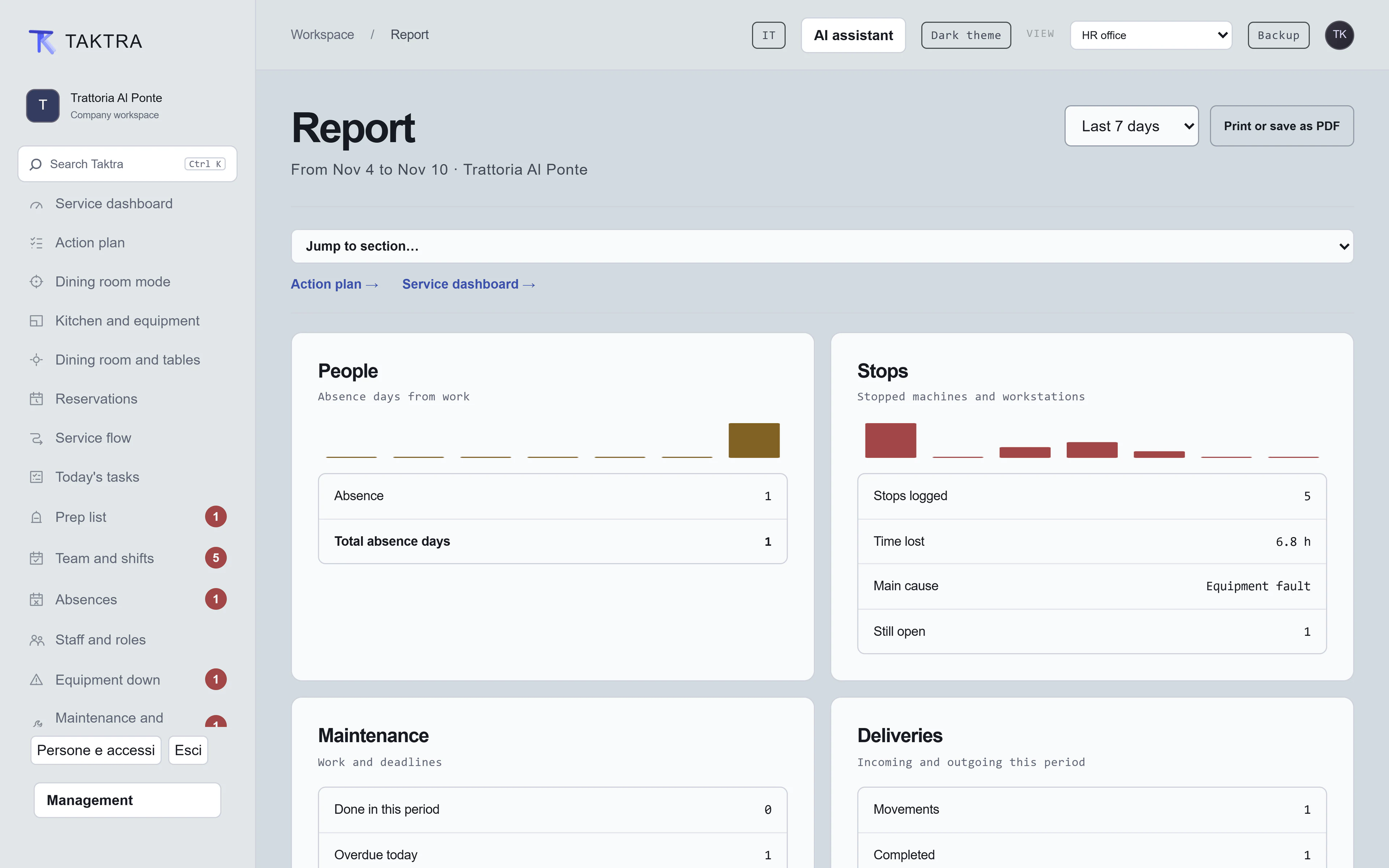
People, stoppages, maintenance, deliveries and menu over the last 7, 30 or 90 days. Print it or save it as PDF.
From booking to bill, table by table.
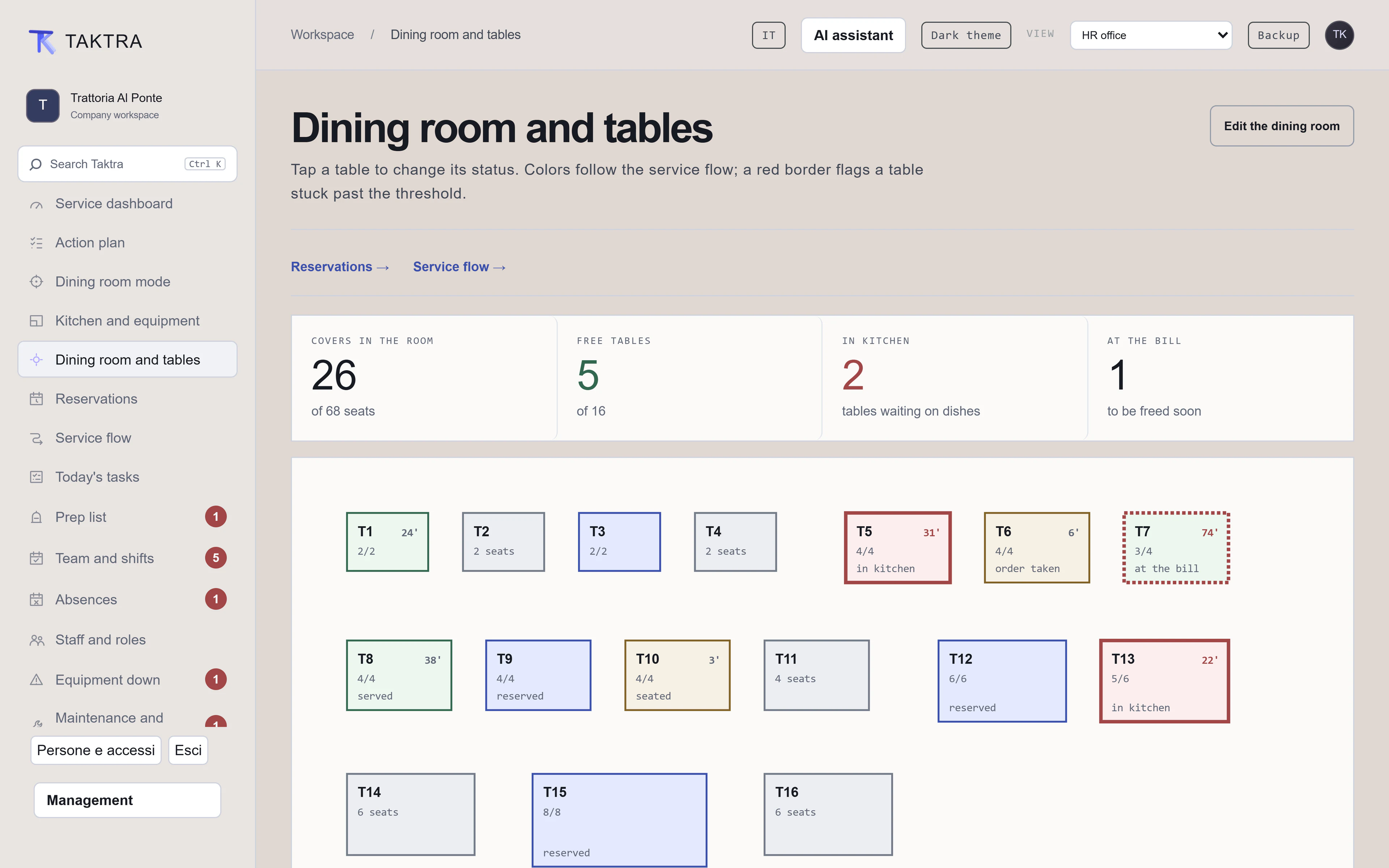
The floor plan of the room: tap a table to change its status. Colours follow the service flow and a red border marks a table stuck past the threshold. The room is editable.
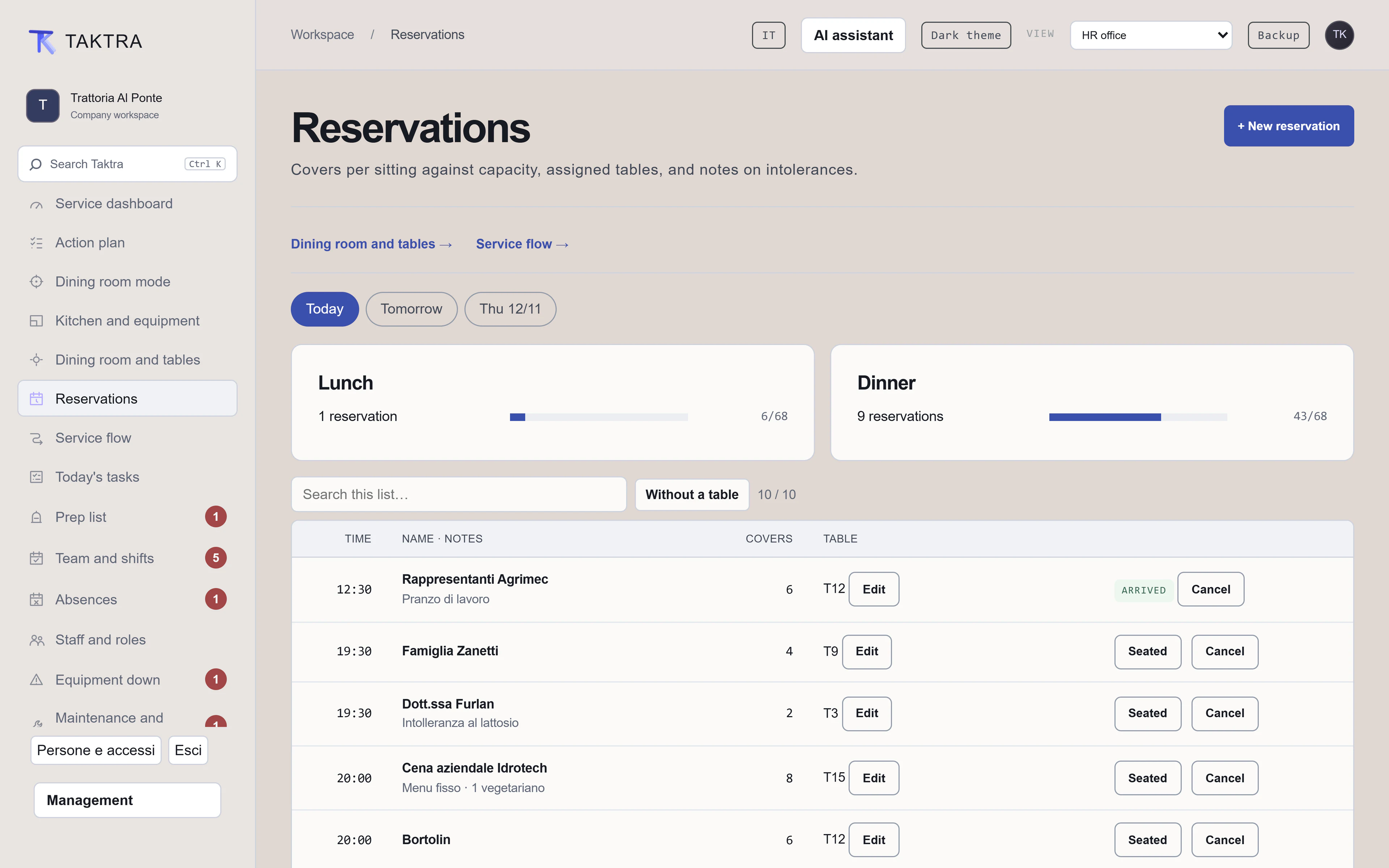
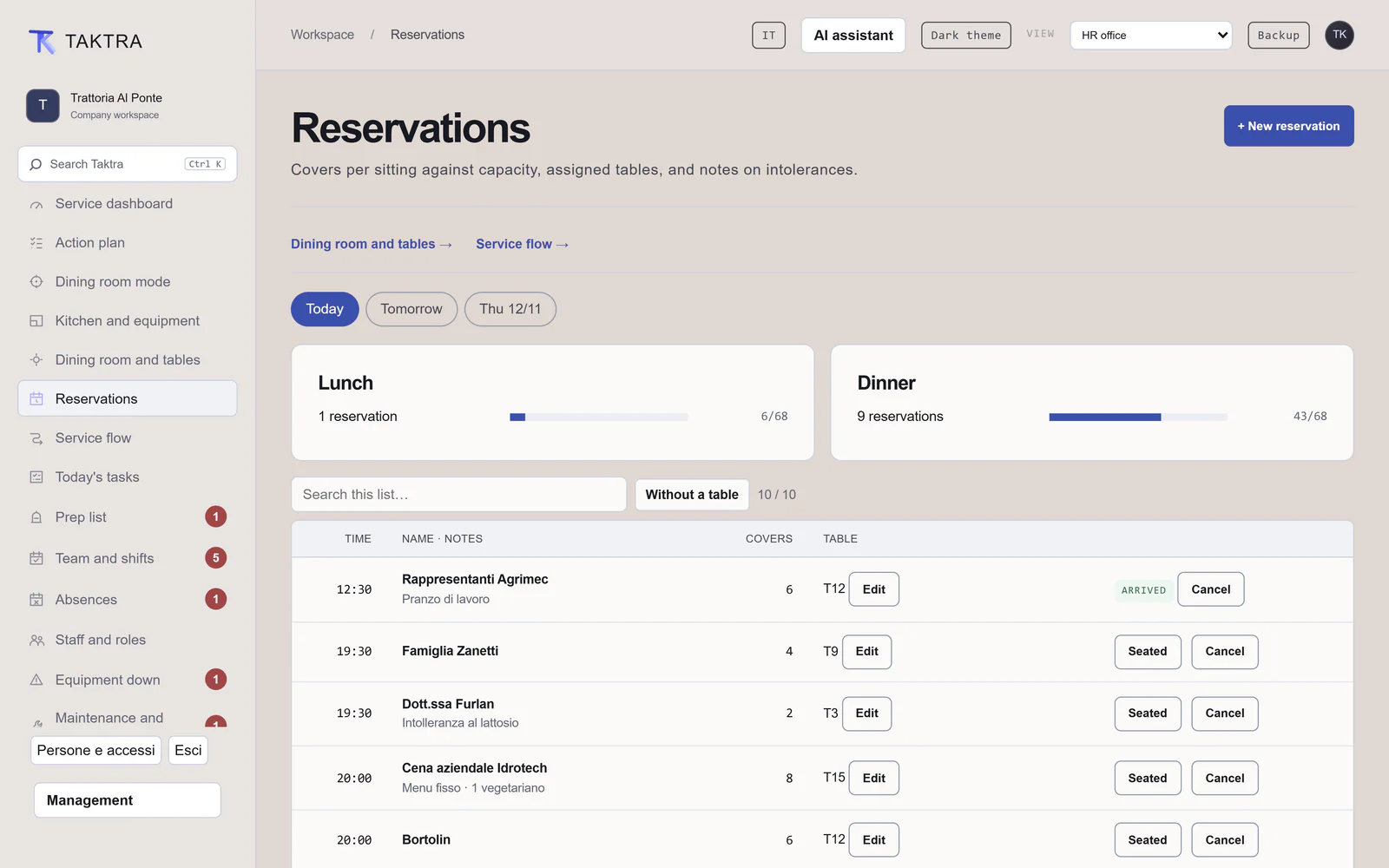
Covers per sitting against capacity, assigned tables and notes on intolerances. Lunch and dinner, today and the coming days, with reservations still without a table.
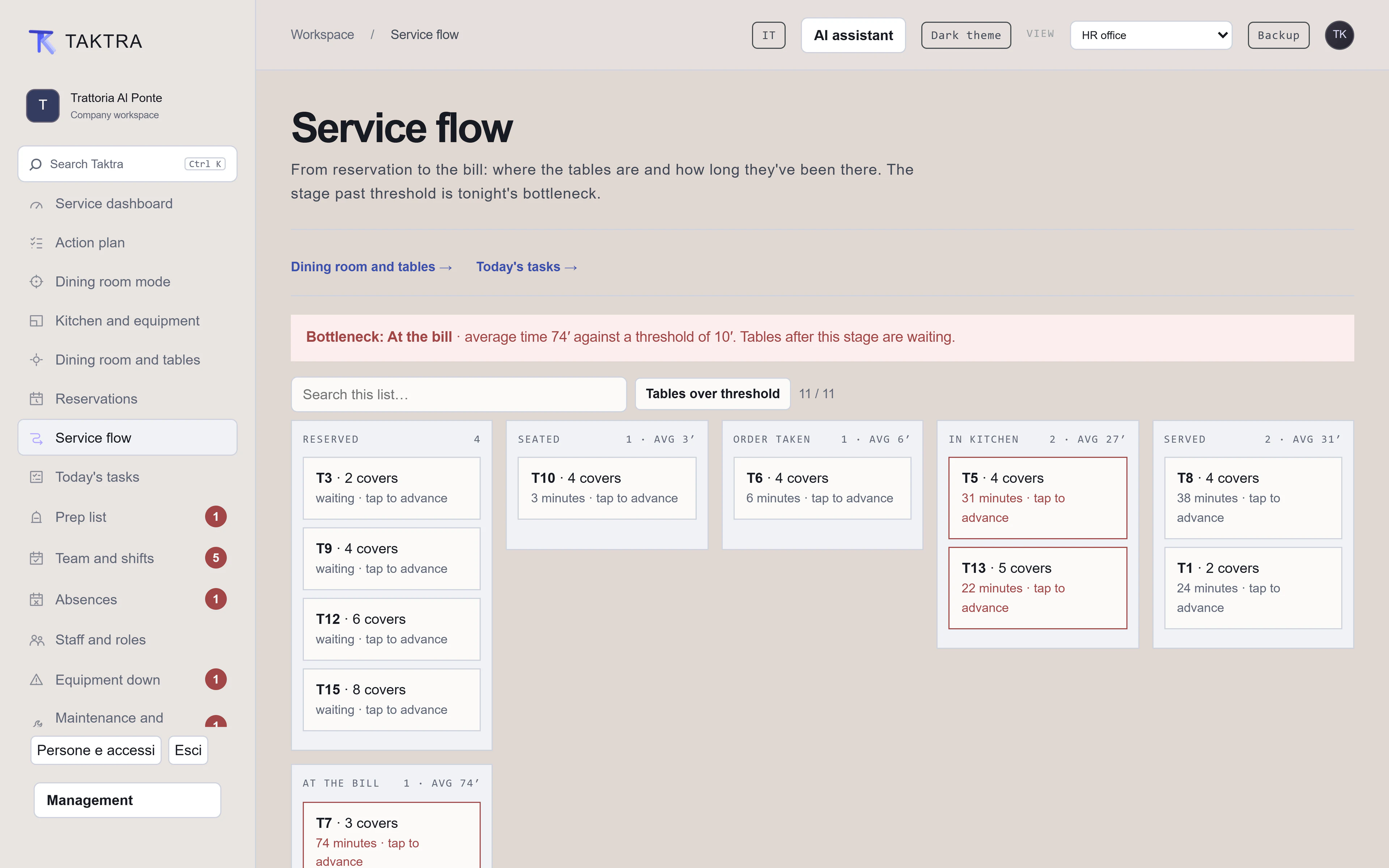
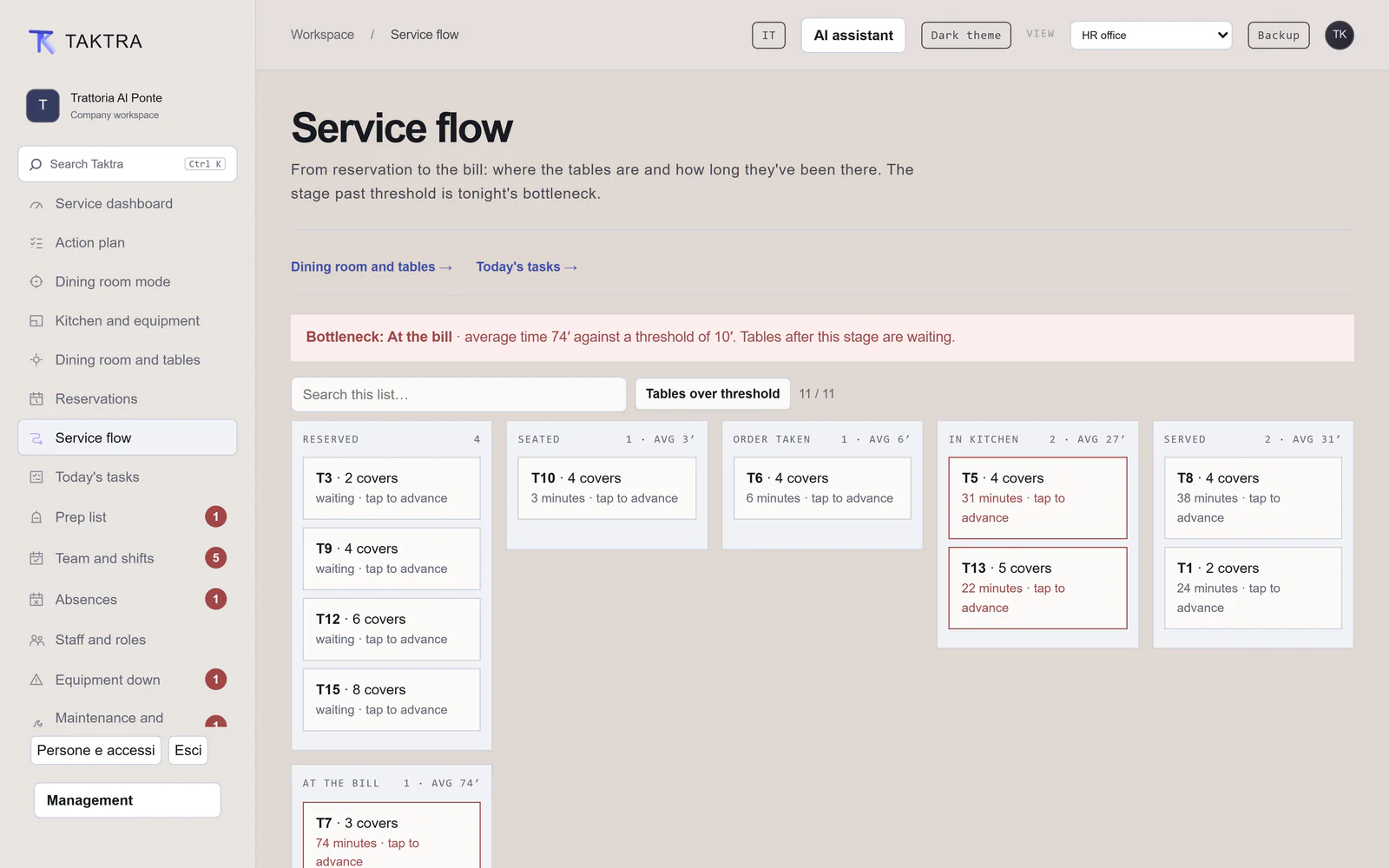
From booking to bill: where the tables are and for how long. The stage over threshold is the evening’s bottleneck, and the tables after it are waiting.
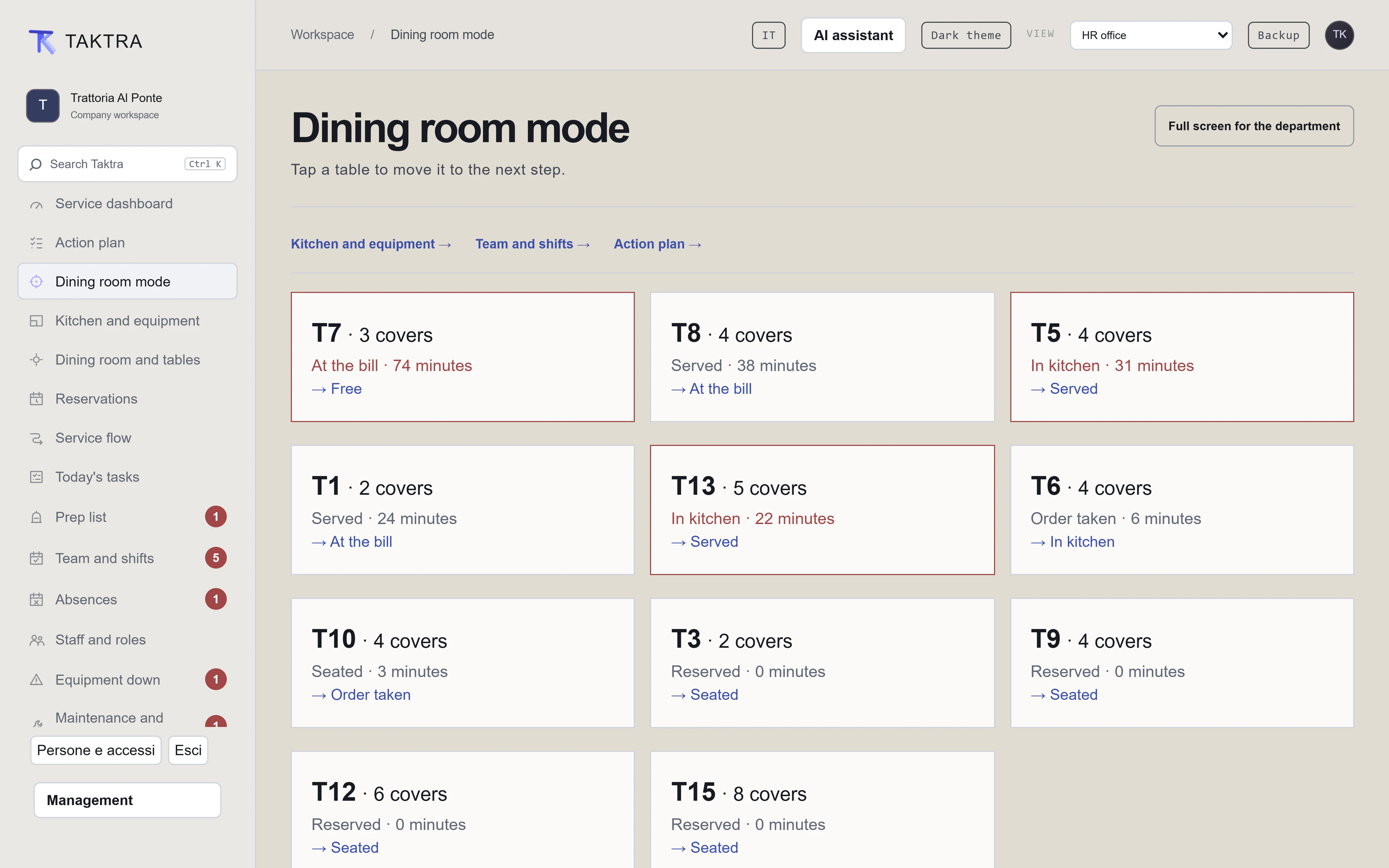
Full screen, for front of house: tap a table to move it to the next step, with waiting minutes in view.
Stations, tasks and what breaks down.
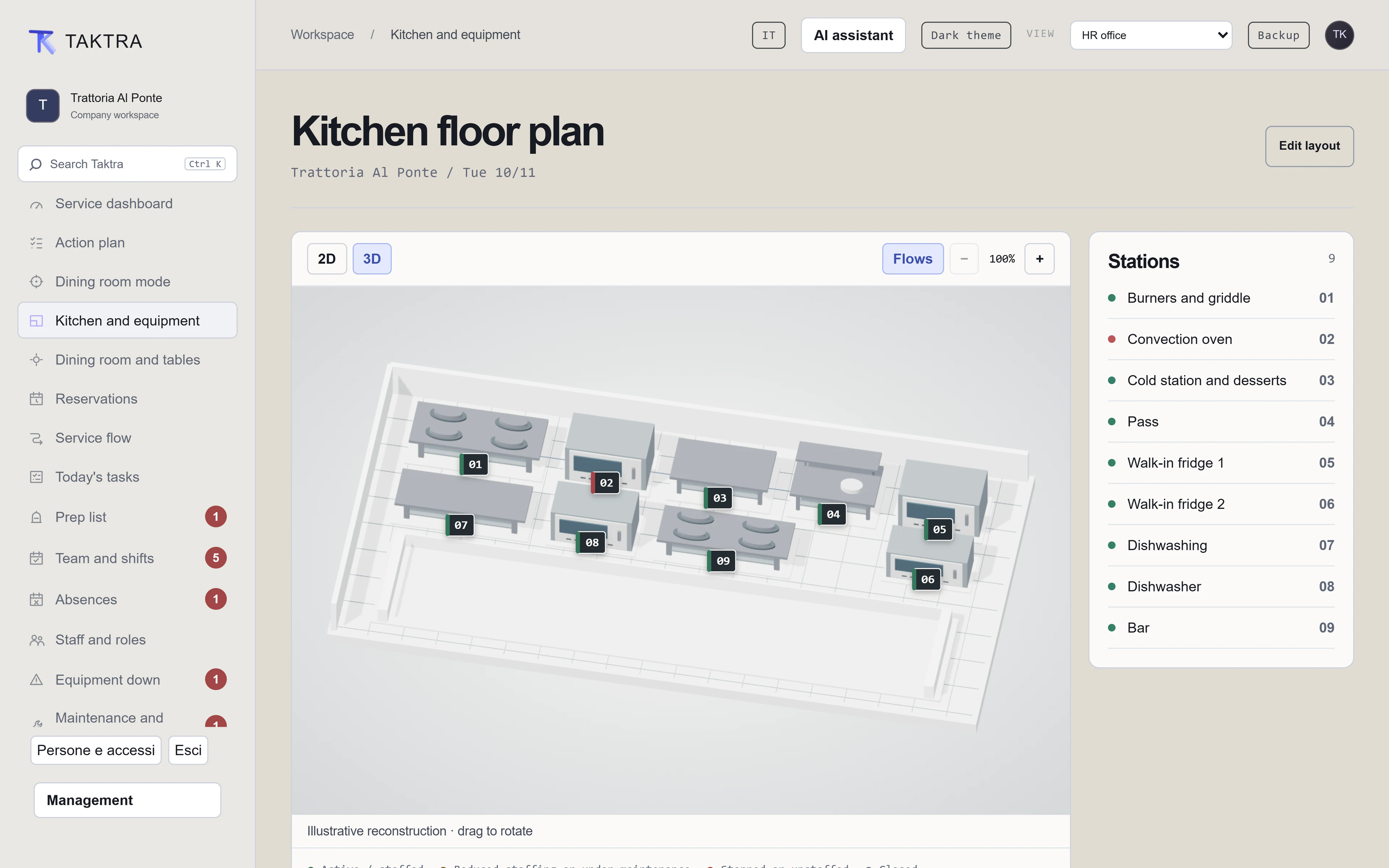
The kitchen floor plan in 2D, 3D or by flows: hobs and grill, oven, cold and desserts, pass, cold rooms, wash-up, bar. Every station shows its status.
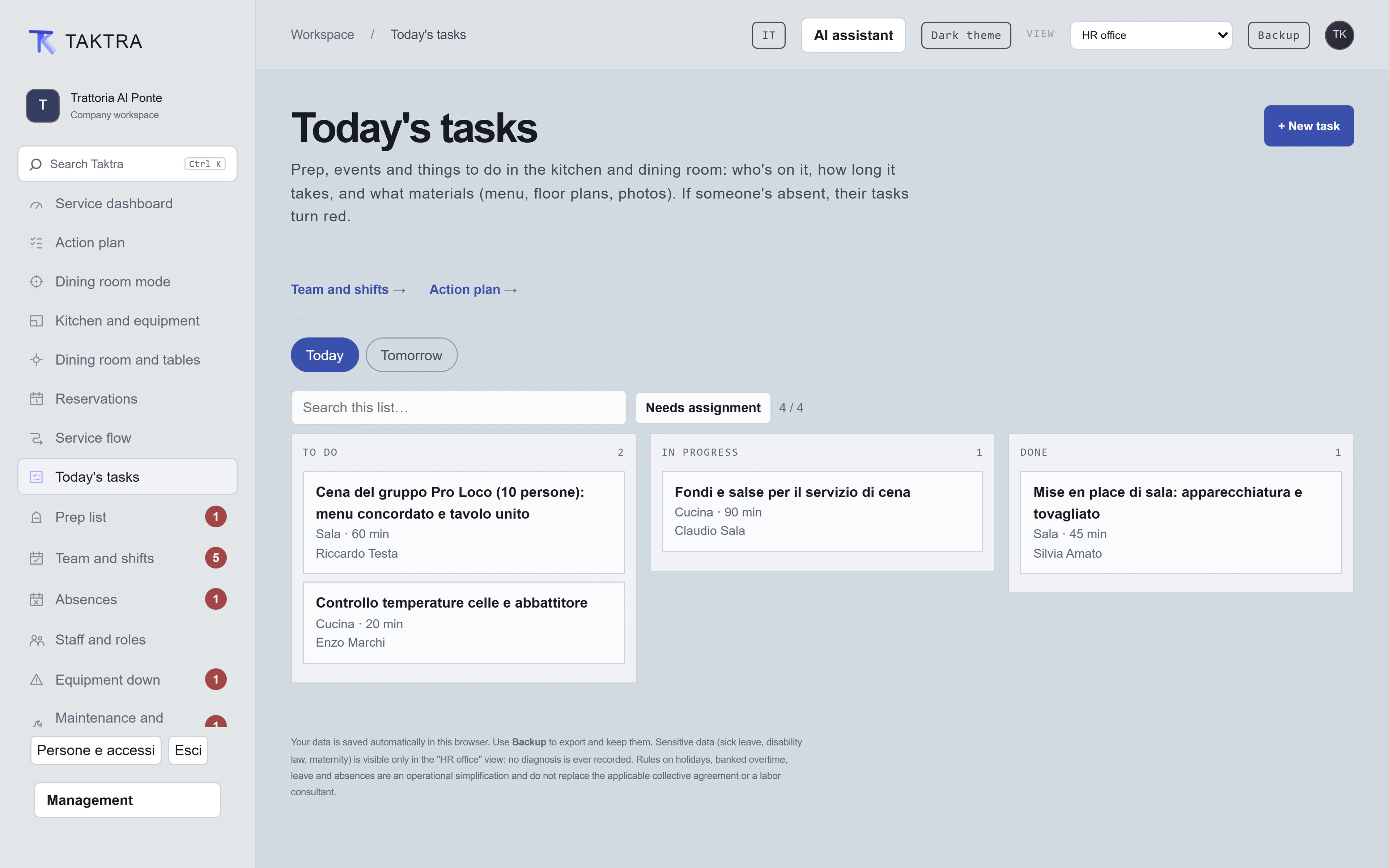
Prep, events and things to do in kitchen and dining room: who owns them, how long they take and with which material. If someone is absent, their tasks turn red.
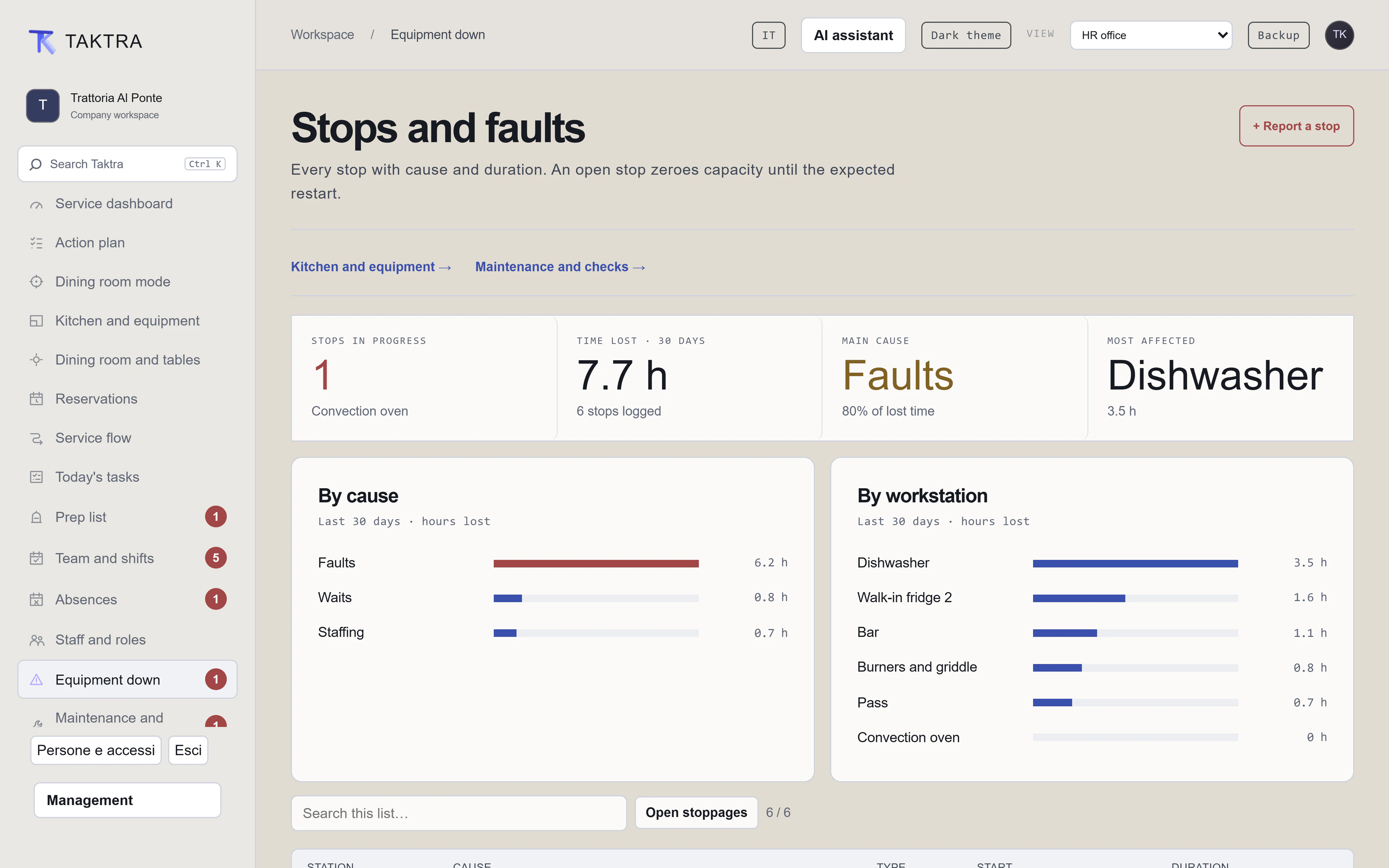
Every stoppage with cause and duration, and analysis by cause and by station over the last 30 days.
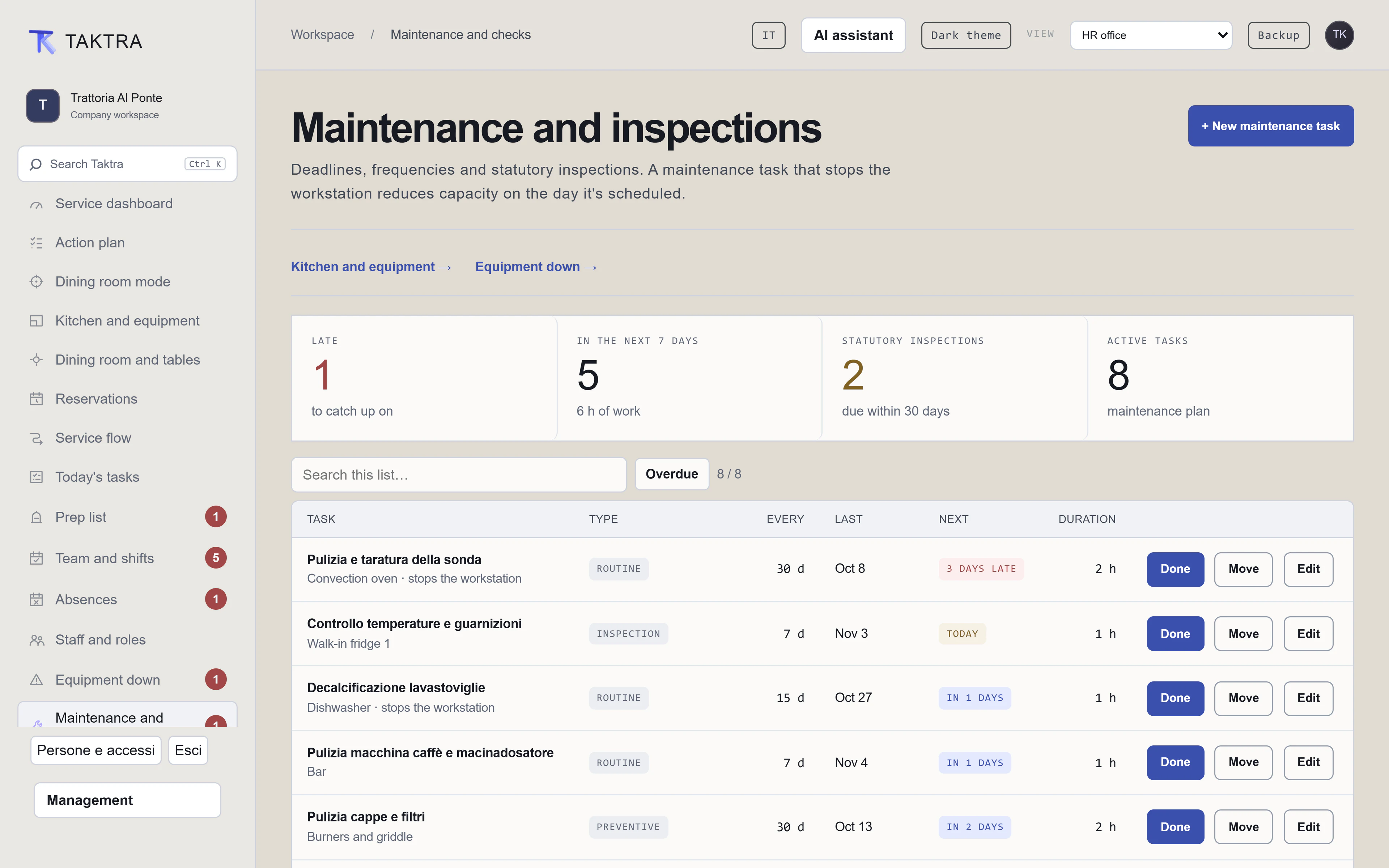
Due dates, frequencies and statutory inspections: from probe calibration to periodic checks.
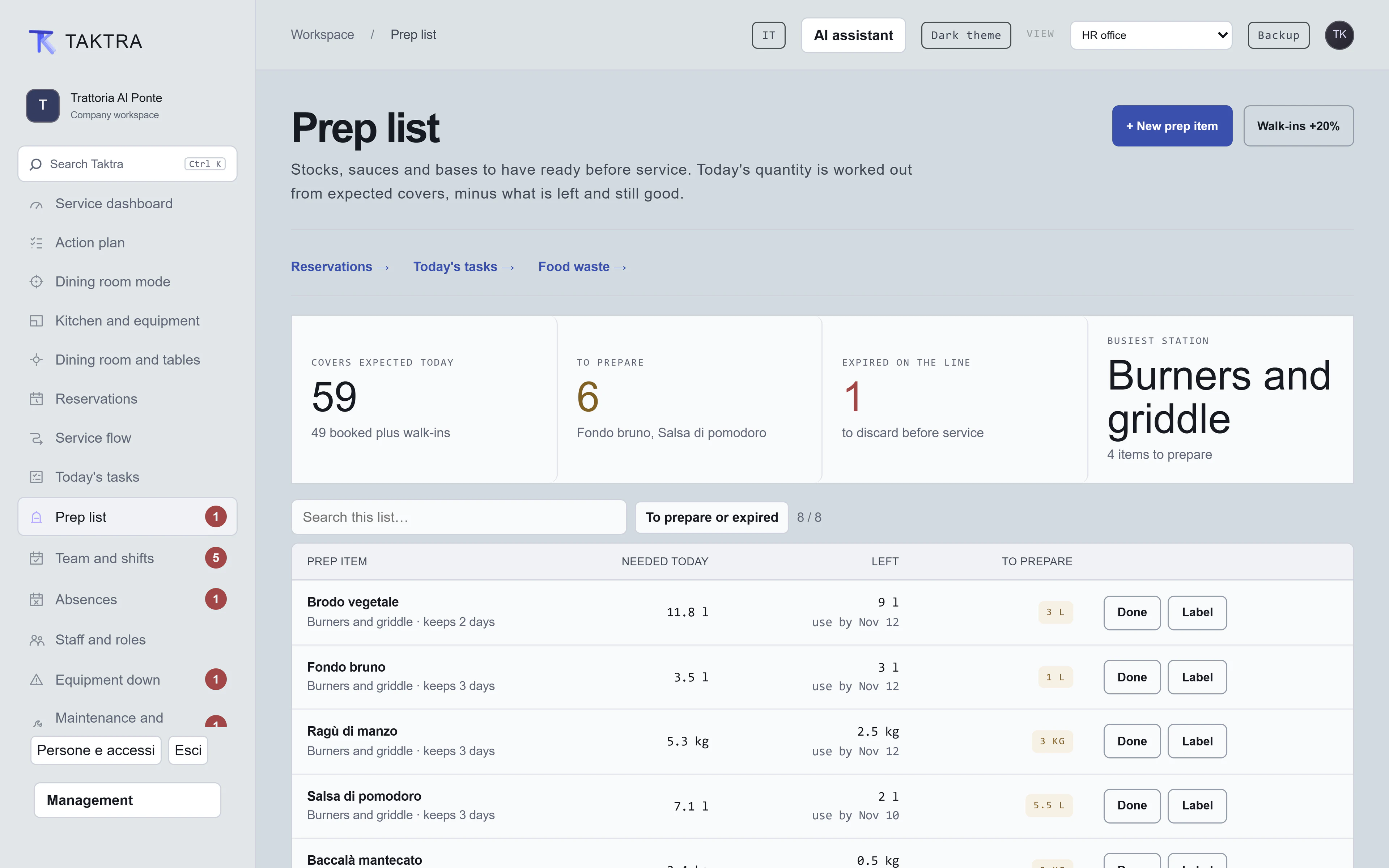
Stocks, sauces and bases to have ready before service. Today’s quantity is worked out from expected covers, minus what is left and still good; whatever has expired on the line must go.
Who is in the kitchen, who is on the floor, who covers.
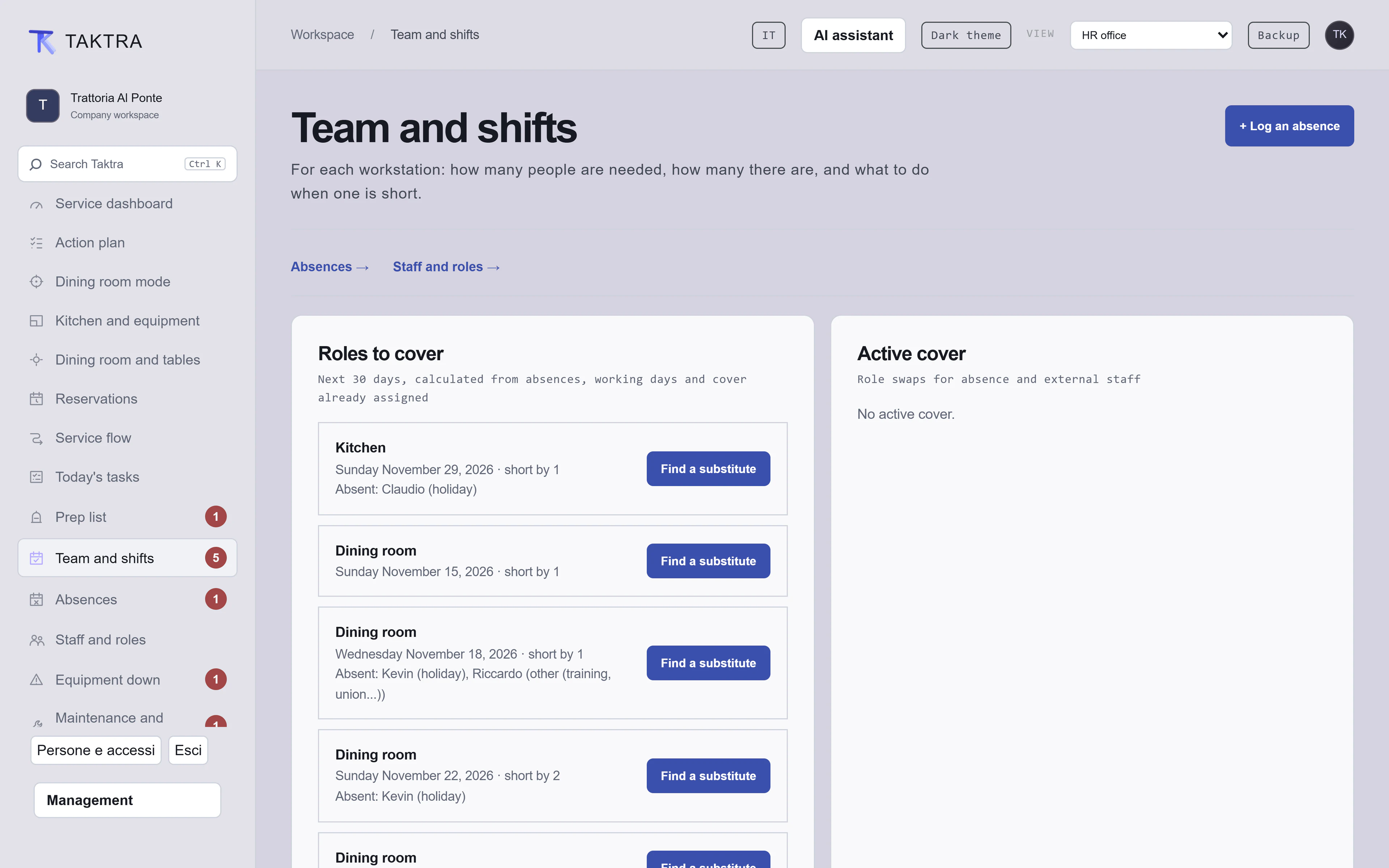
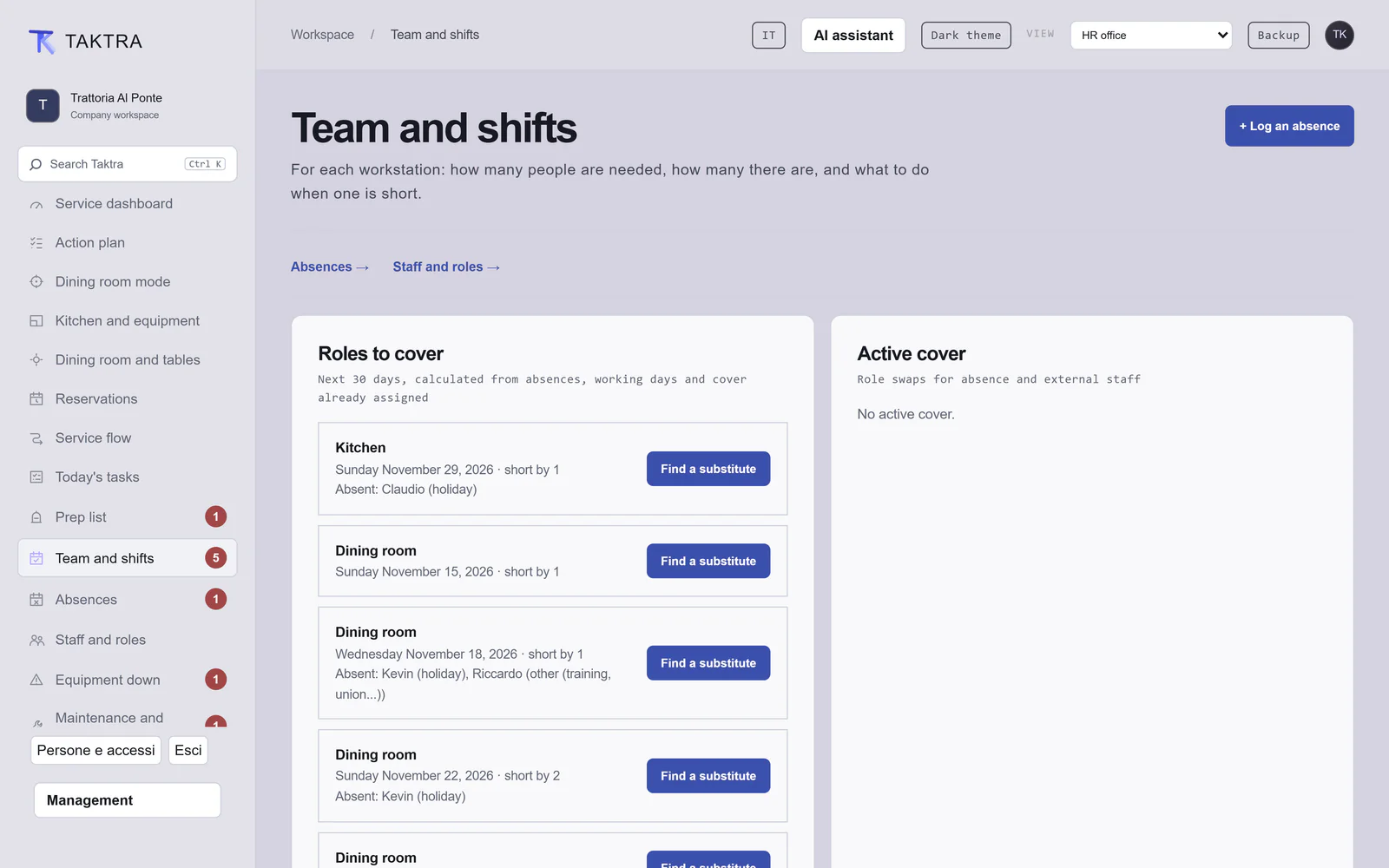
For every position: how many people are needed, how many there are and what to do when one is missing. Gaps over the next 30 days come with a “Find cover” button.
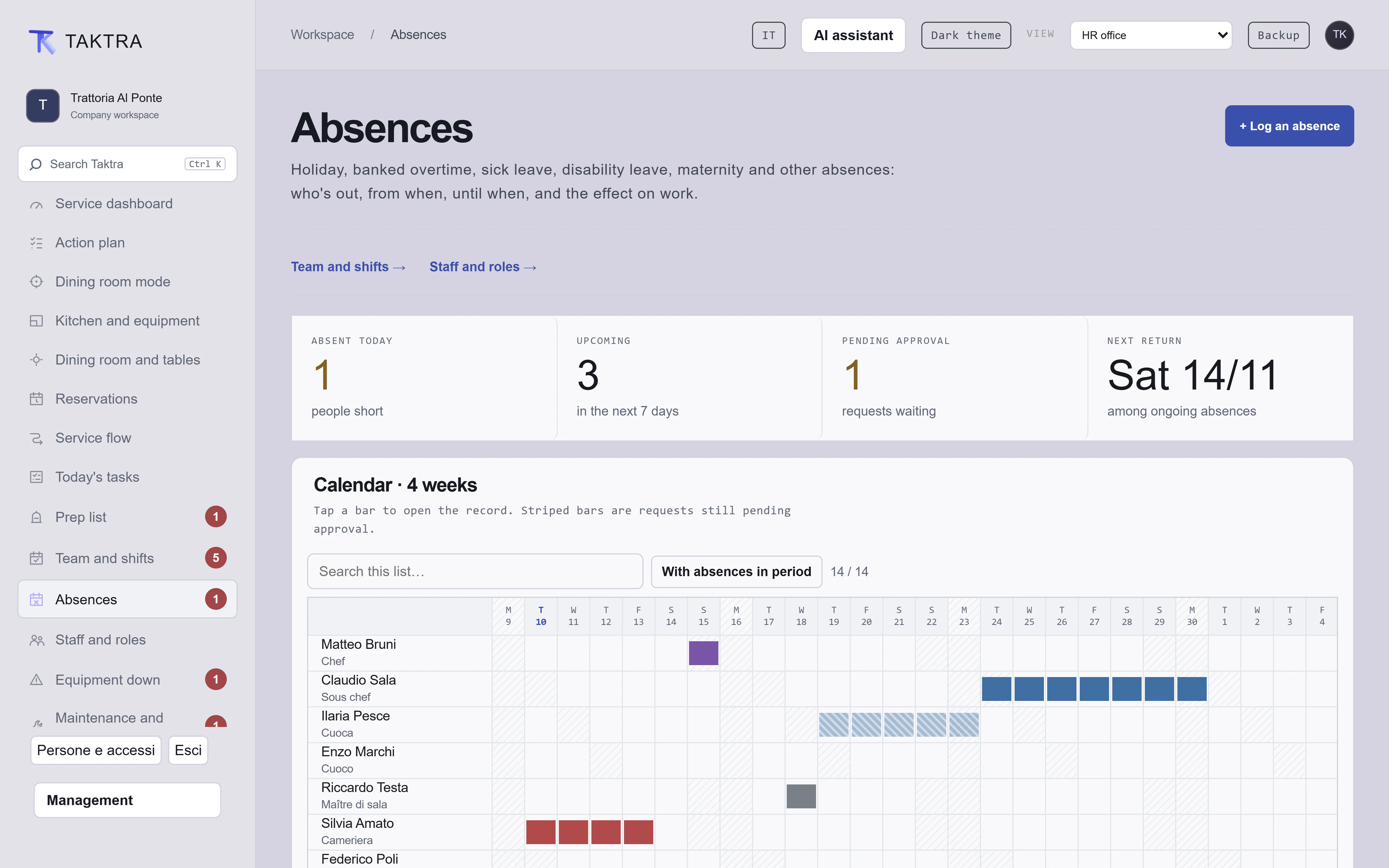
Holidays, leave and other absences on a four-week calendar, with requests still awaiting approval.
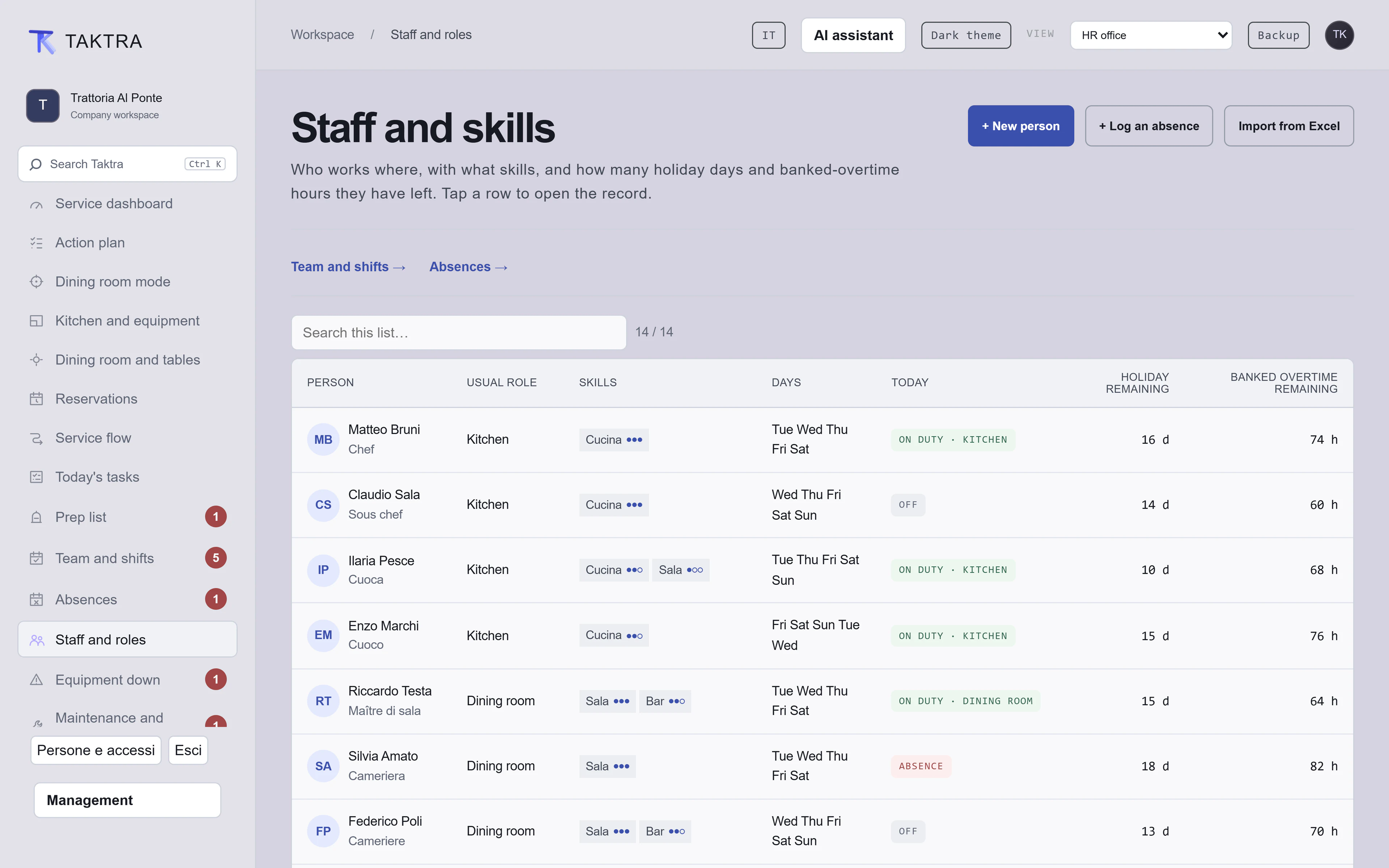
Chef, sous chef, cooks, floor and bar: who works where, on which days, with which skills and how much leave they have left.
What a dish costs, what to order and what gets thrown away.
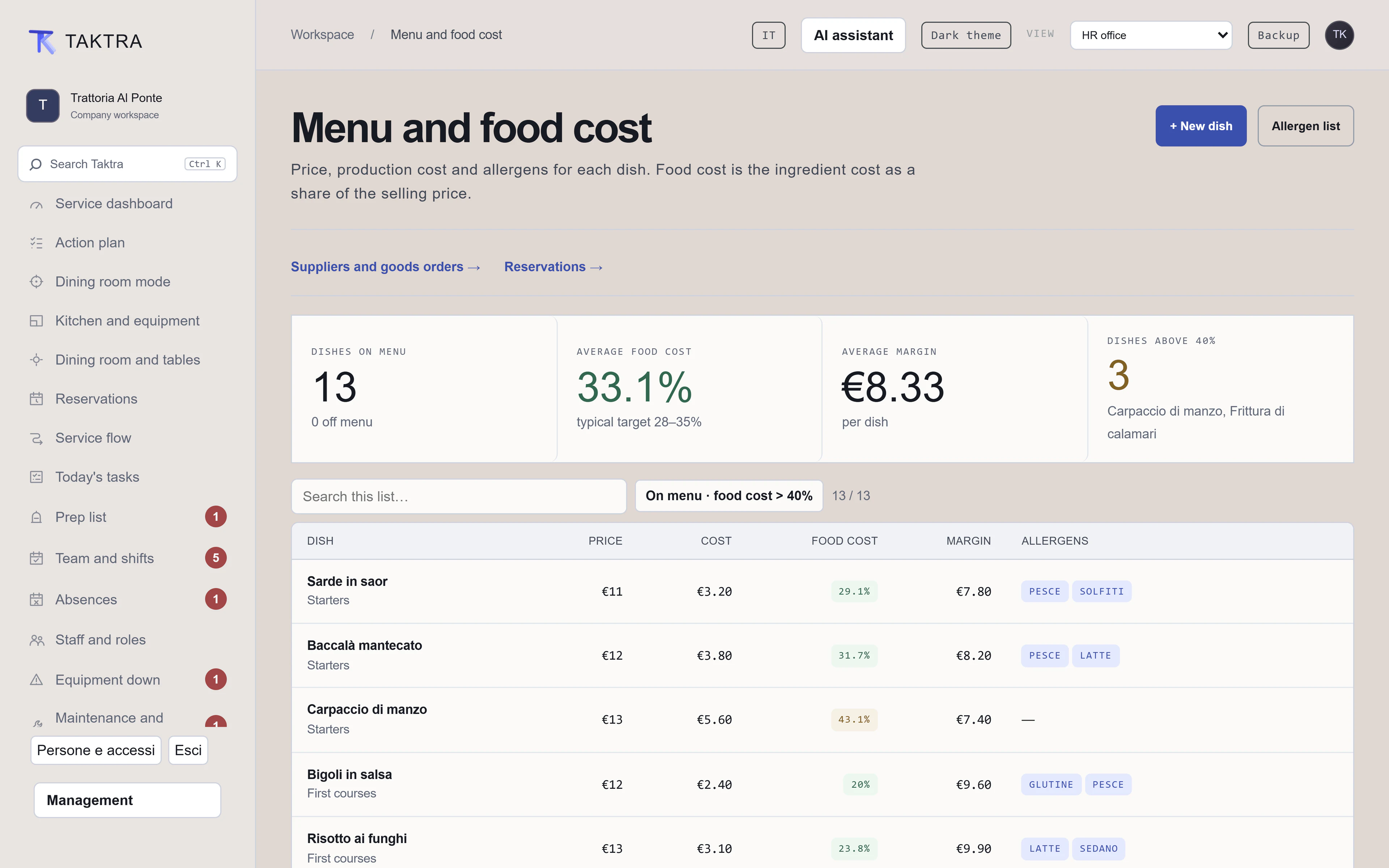
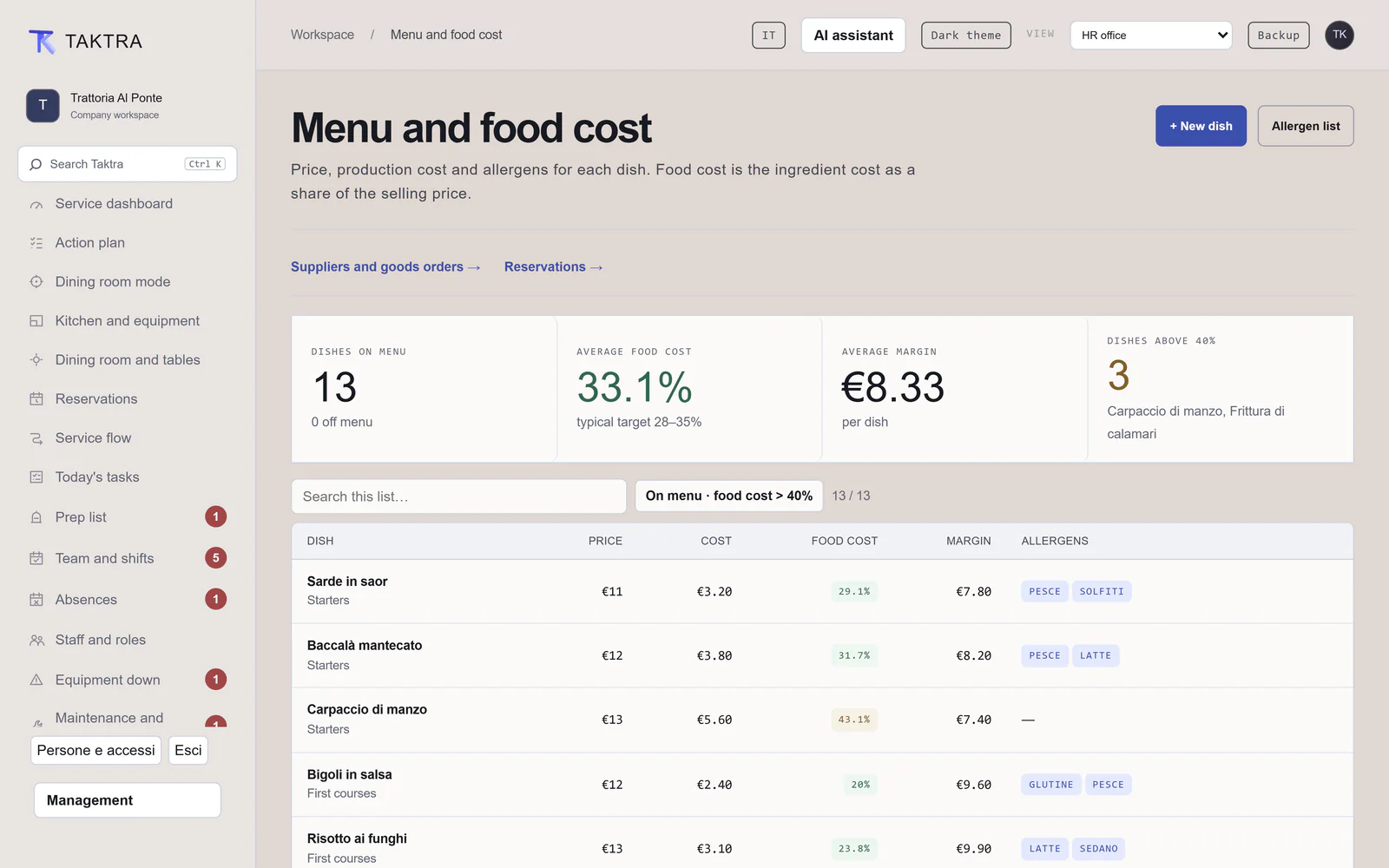
Price, production cost, margin and allergens for every dish. Average food cost and dishes above 40% are highlighted; an allergen list is included.
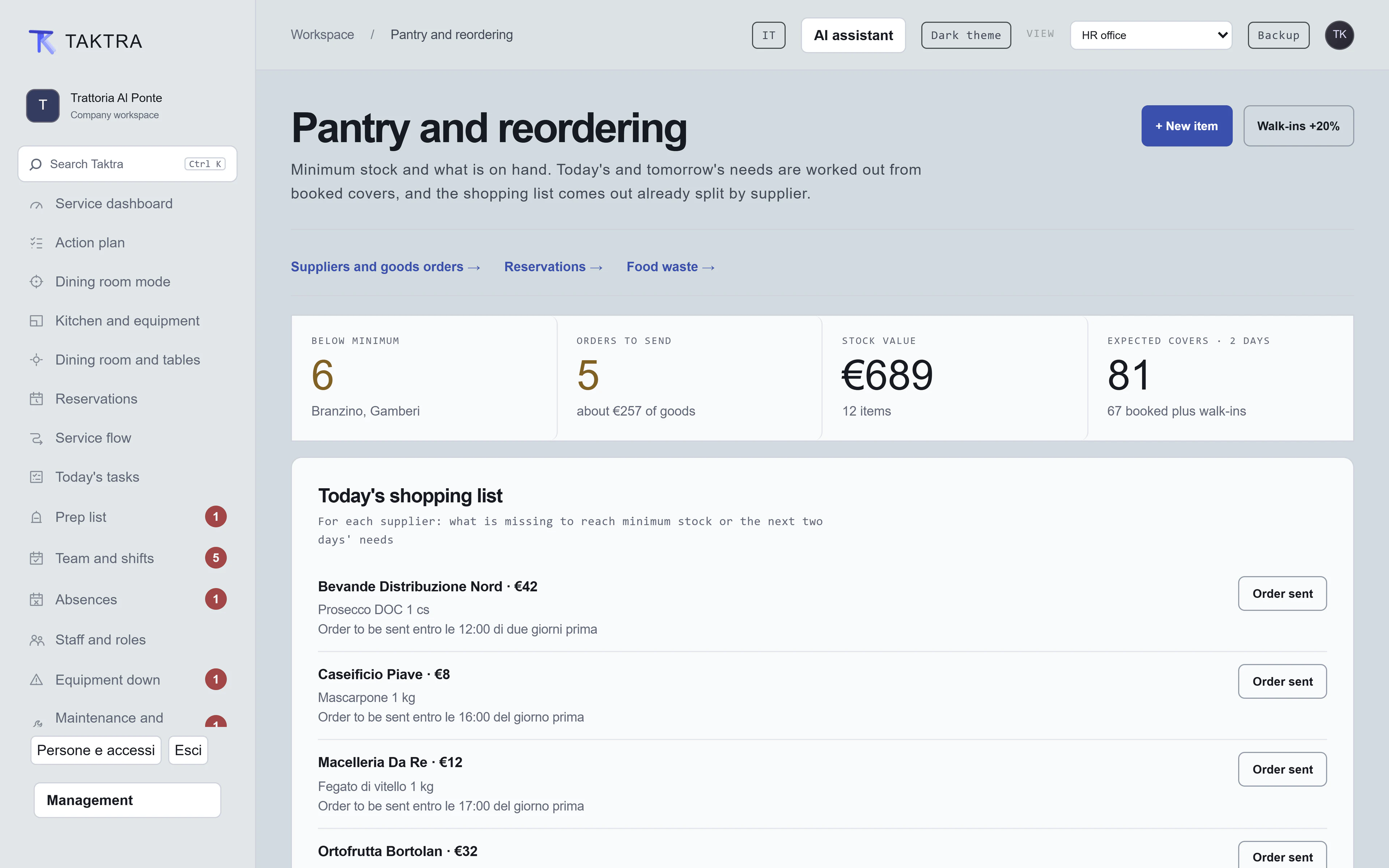
Minimum stock and what is on hand. Today’s and tomorrow’s needs are worked out from booked covers, and the shopping list comes out already split by supplier.
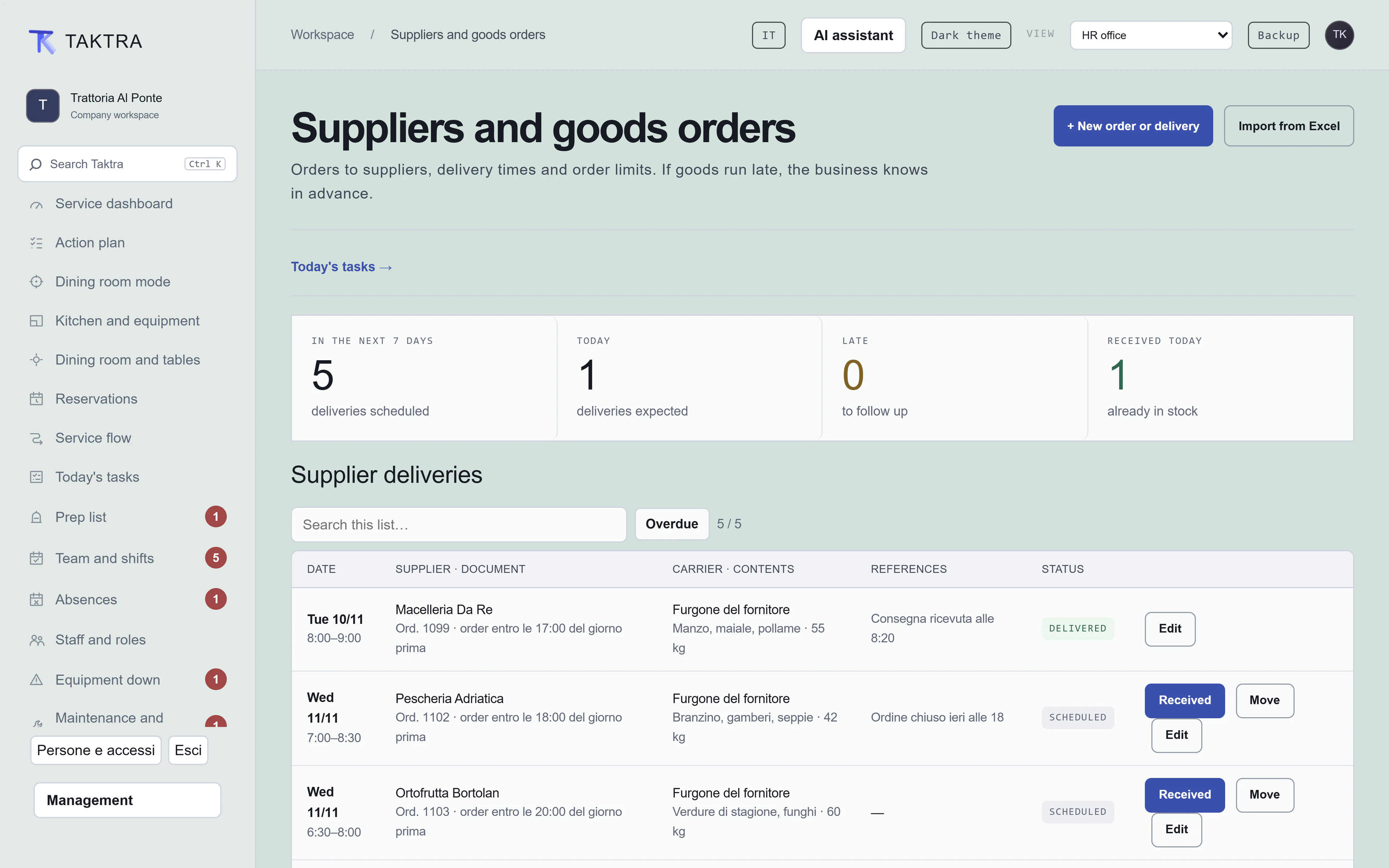
Orders to suppliers, delivery windows and order cut-offs. If goods are late, service knows first. With returns and outgoing items.
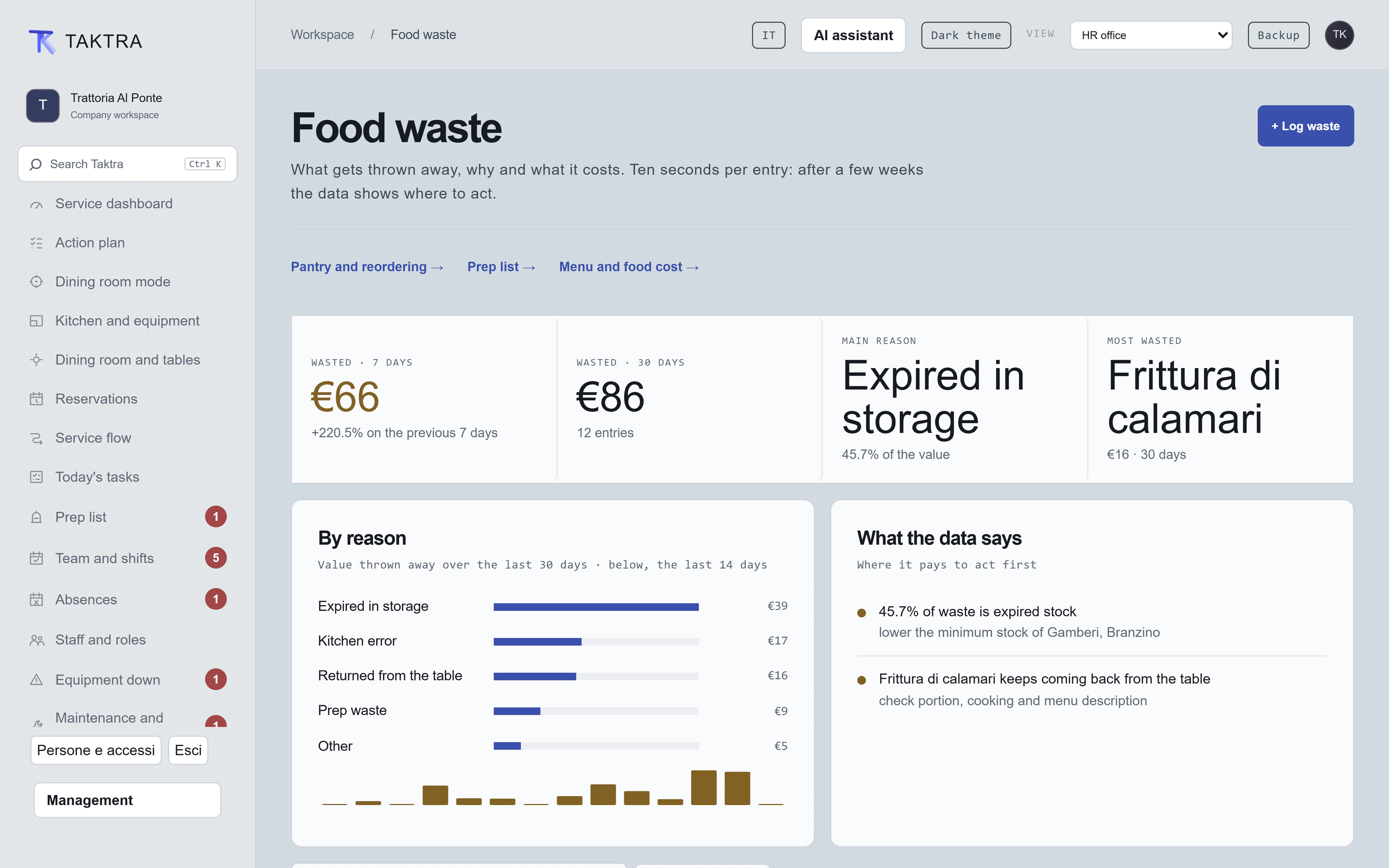
What gets thrown away, why and what it costs. Ten seconds per entry: after a few weeks the data shows where to act, from the most frequent reason to the most wasted dish.
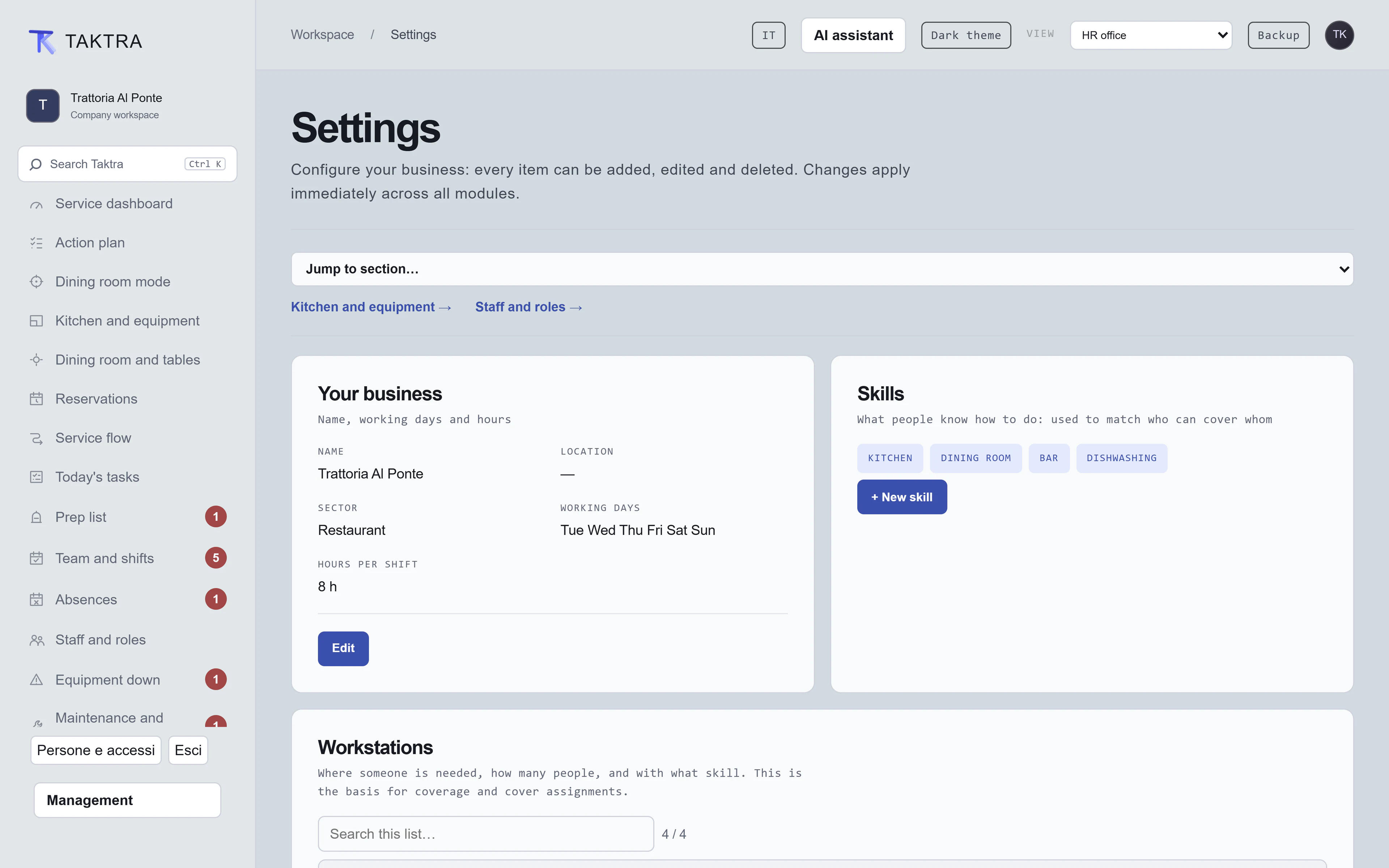
Skills, positions, stations and equipment, calendar and lists. Choose which modules to show and in what order.
Messages between kitchen, floor and office, available with a Taktra online account.
Tap a screen to view it at full resolution. Screens show the app’s sample workspace.
A day with Taktra
With the sample workspace data: Trattoria Al Ponte, sixteen tables, sixty-eight covers.
Fan failure, technician tomorrow. The stoppage stays on record with cause and duration, and tonight’s menu goes out without oven dishes.
Reservations show covers against capacity, the intolerances noted and a party of ten still without a table.
Stocks and sauces, temperature checks, the joined table for the group: every task has an owner and a time.
The service flow shows where tables pile up. The stage over threshold is the bottleneck: you know where to send a hand.
Thirteen dishes on the menu, average food cost at 33.1%, three dishes above 40%. Tomorrow you decide what to adjust.
Your vocabulary
A restaurant has no job orders. Taktra changes vocabulary and adds what a service needs: tables, covers, reservations, dishes.
| In general | In Taktra, for restaurants | What it is for |
|---|---|---|
| Work to deliver | Reservations · Service flow | Covers, tables and stages up to the bill |
| The plan of the day | Today’s tasks | Prep and events with an owner |
| Who covers positions | Team and shifts | Kitchen, floor and bar: gaps and substitutes |
| What stops | Equipment down | Cause, duration, most affected station |
| The space | Dining room and tables · Kitchen and equipment | Room plan and kitchen floor plan |
| What comes in | Suppliers and goods orders | Delivery windows and order cut-offs |
| The product | Menu and food cost | Price, cost, margin, allergens |
AI assistant
The assistant queries the restaurant’s data: cover, reservations, stoppages, deliveries. Write the question the way you would ask a colleague.
Sample question and answer, from the app’s sample data
The assistant answers only with your company’s data. Every proposal is read and confirmed by you. How it works
3D floor plan
It is the floor plan you get in the app: the stations, the state of each one and the flow of work. Drag to turn it and tap a station to see how it stands right now.
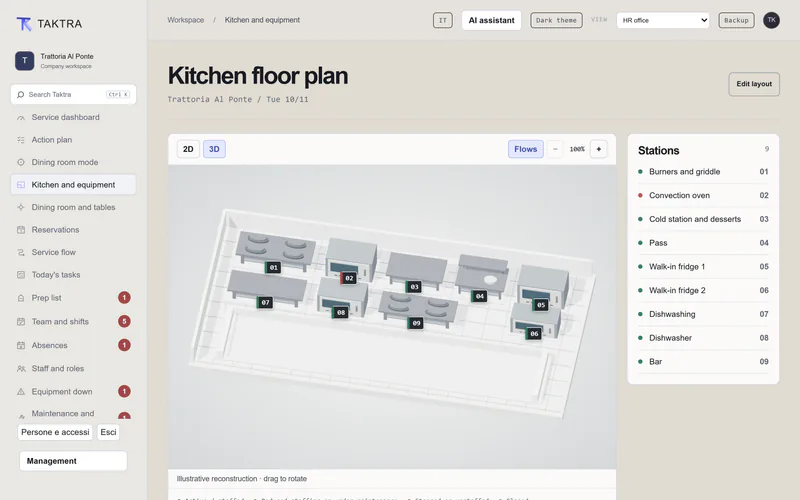
Illustrative reconstruction · drag to rotateApp screen · sample data
On the floor and in your pocket
Dining room mode puts the tables full screen: one tap and the table moves to the next step. Everything else runs in the browser on computer, tablet and phone.
Frequently asked
Thirty days to see whether your team really uses it. Open Taktra in your browser, create your company and describe how you work.
No card needed to start: 30 days free, then you decide whether to subscribe.
Taktra’s virtual assistant
It answers by voice or in writing and, if you like, takes your details: then a member of our team writes to you. It is an AI, not a person.
When you open it, the conversation goes through ElevenLabs, which handles it on Taktra’s behalf. Privacy notice