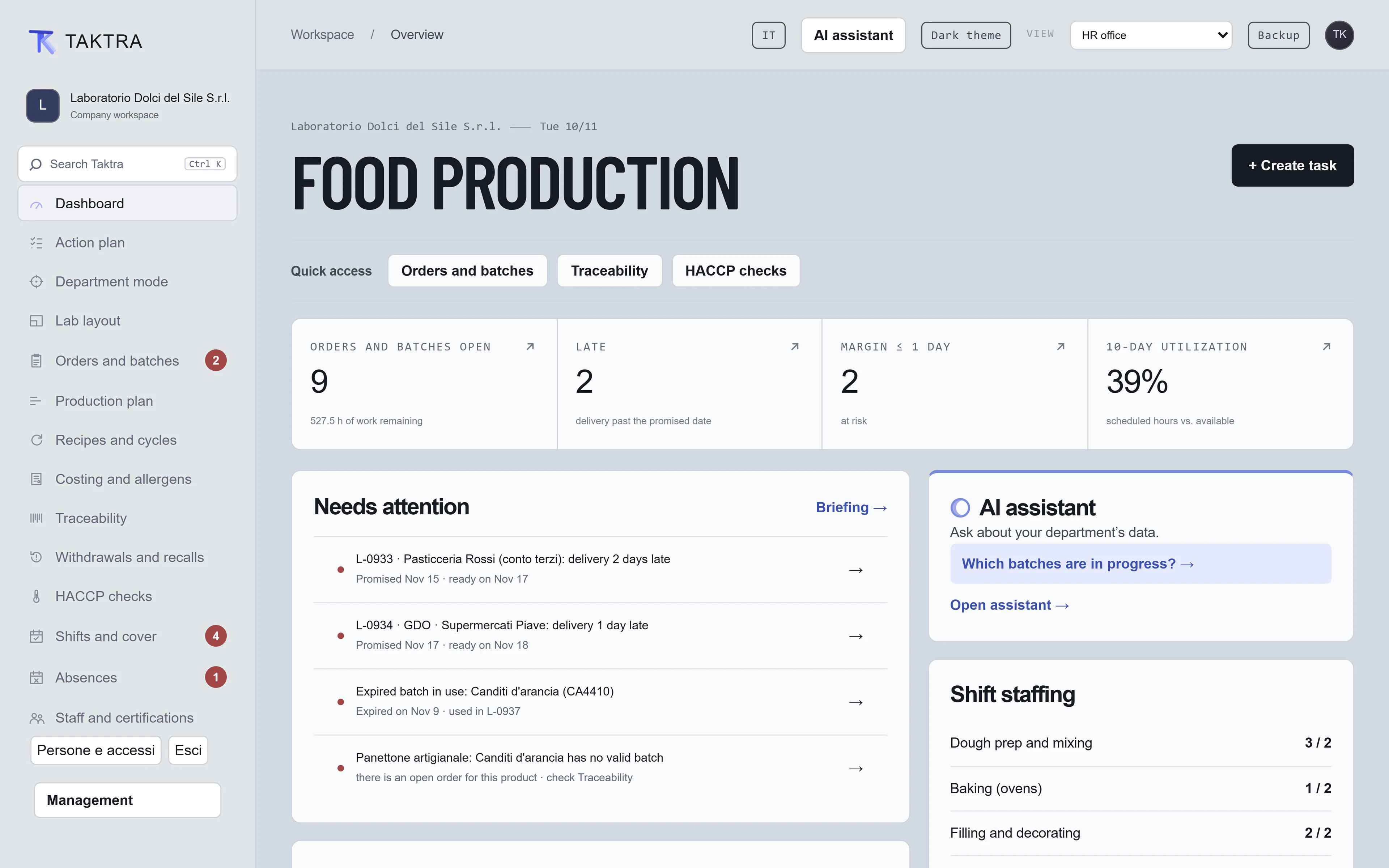
You open the dashboard.
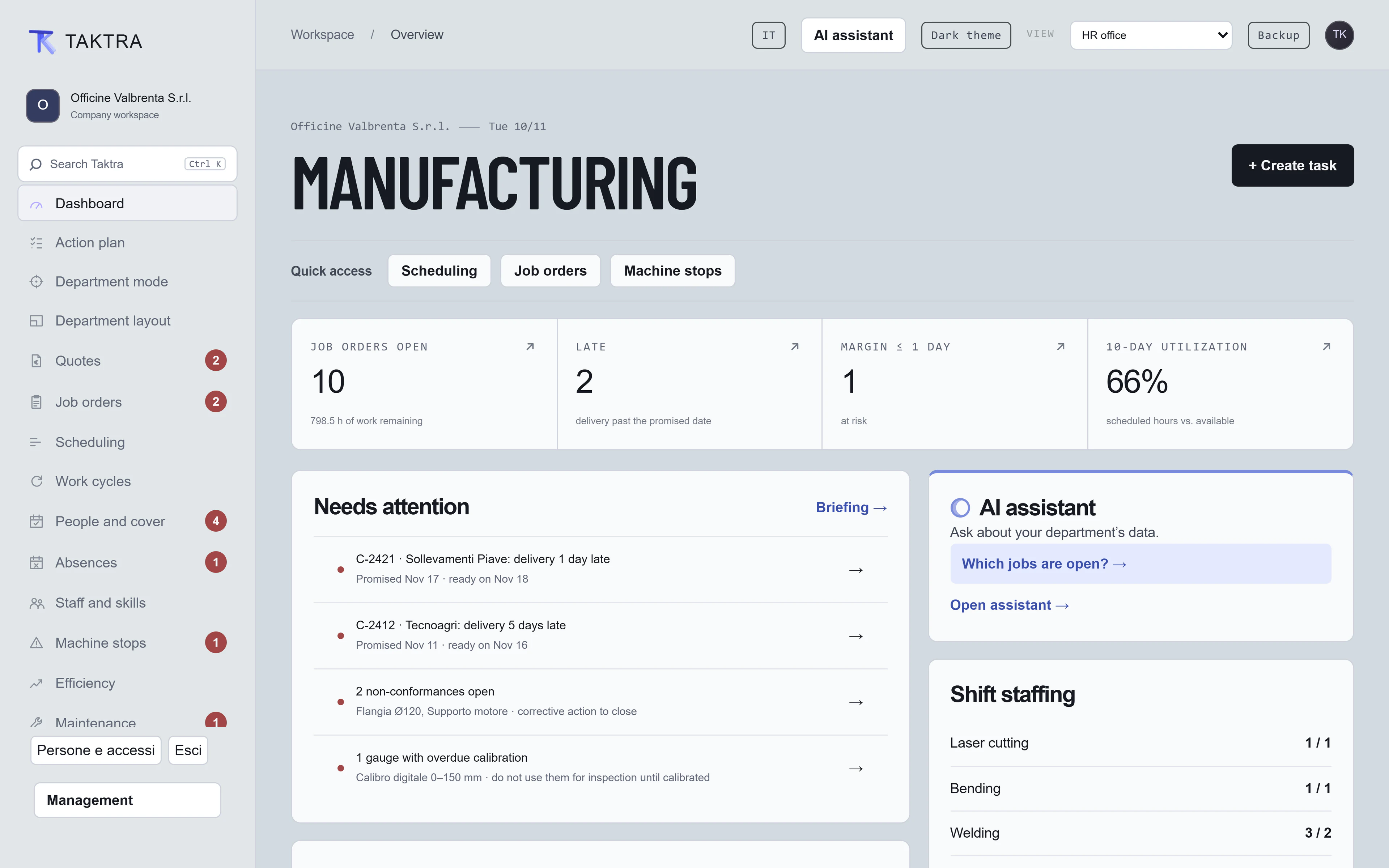
Two deliveries late, one at risk, two open non-conformances and a caliper due for calibration. The “Needs attention” list is already in order of urgency.
Software for operational work
Taktra puts orders, shifts, stoppages and deliveries on one plan and recalculates it when something changes. You know what to do today, who does it and what risks running late.
Instant answers
Taktra’s virtual assistant answers by voice or in writing, in Italian and English, at any hour: pricing, sectors, free trial. If you like, it takes your details and a member of our team writes to you.
It is an AI, not a person: it opens only if you choose to.
Why it exists
On Monday the plan is perfect. On Tuesday someone is off, a machine stops and a customer brings a delivery forward.
By then the real plan lives in a spreadsheet, three chats and the head of whoever coordinates. Taktra is built for that Tuesday.
The product
Seven areas that talk to each other. When one fact changes, every screen that depends on it changes too.
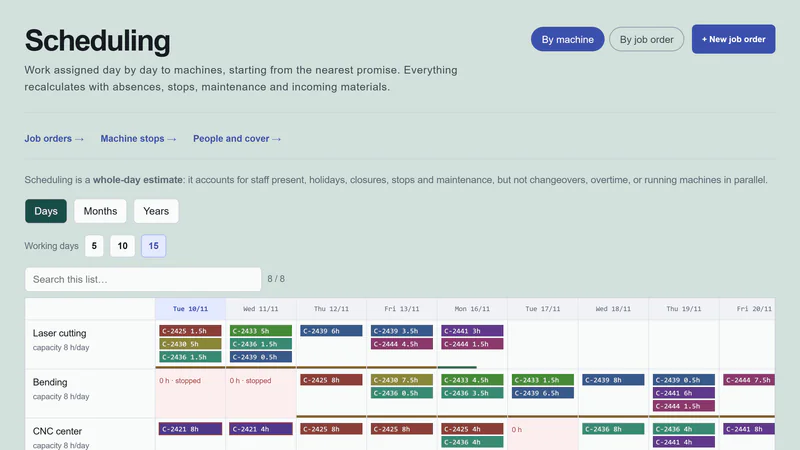
Operations assigned day by day, nearest promise first. The expected date comes from today’s real capacity.
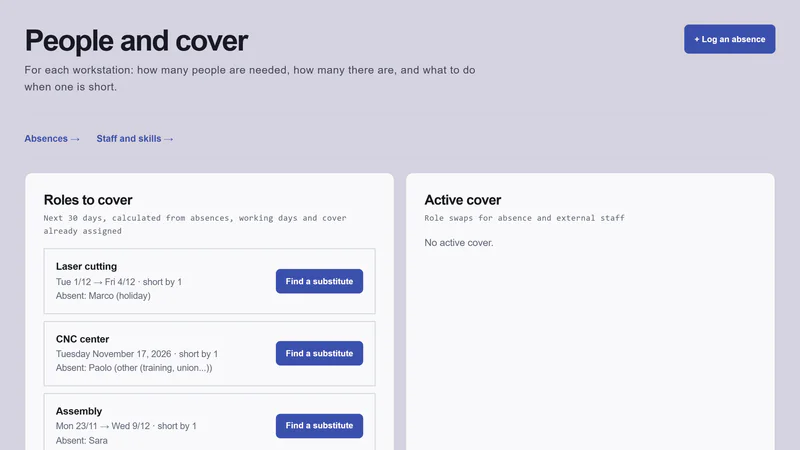
For every position: how many people are needed, how many there are and what to do when one is missing.
A question written the way you would ask a colleague. It answers only with your own company’s data.
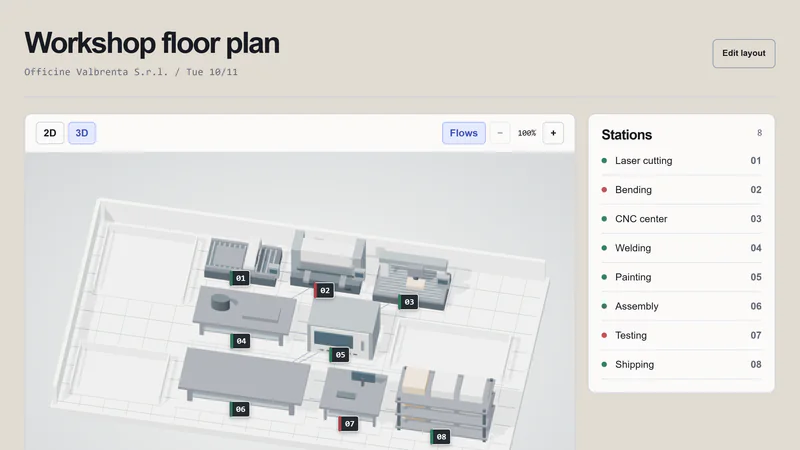
Floor plan in 2D, 3D or by flows: every station shows whether it is active, under-staffed, stopped or closed.
Non-conformance, HACCP points with limits and corrective actions, batches and allergens.
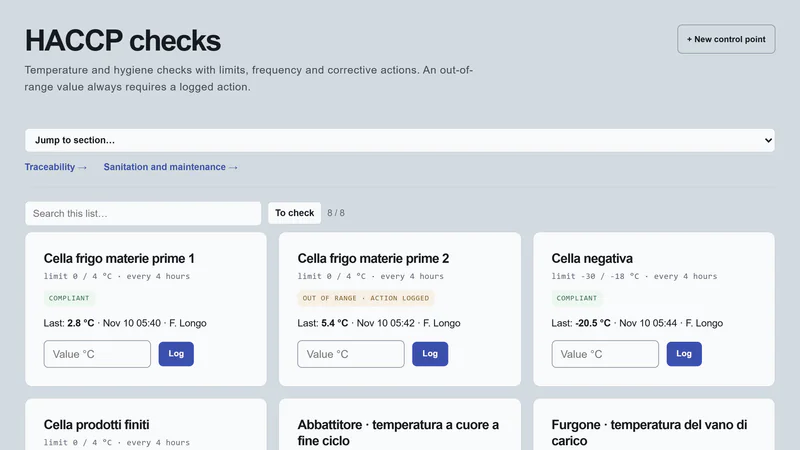
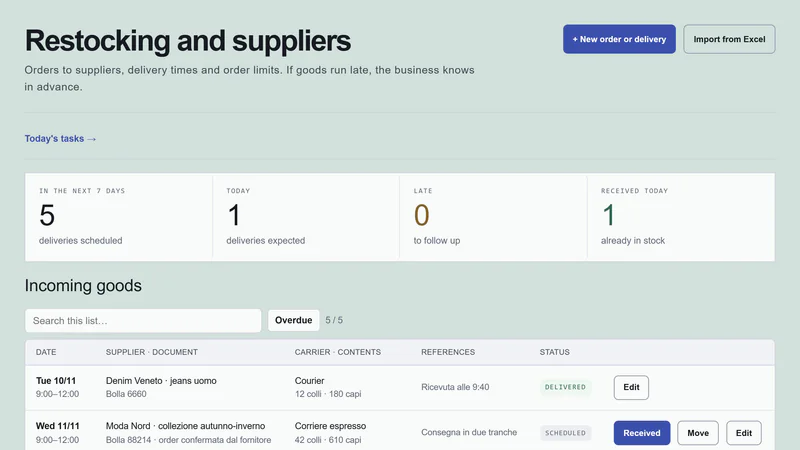
If goods run late you know first, and you see what slips as a result.
A module, a person, a job: two keys and you are there.
New in November
The latest additions to Taktra, already included in the subscription and in the free trial.
Upload the PDF or a photo of the order, or paste the email: the AI prepares the jobs, you confirm them.
Find out moreColumns with other names, title rows, hand-written dates: the AI recognises the sheet and shows you a preview.
Find out moreQuotes, efficiency, calibration, costing and allergens, recalls, returns, prep, pantry, food waste, stock, promotions and customer orders.
Find out moreCapacity, delivery date, OEE, food cost and shift cost, with the formulas explained step by step.
Find out moreOne method, four worlds
Same logic, different vocabulary and screens. Each sector finds Taktra organised around its own way of working.
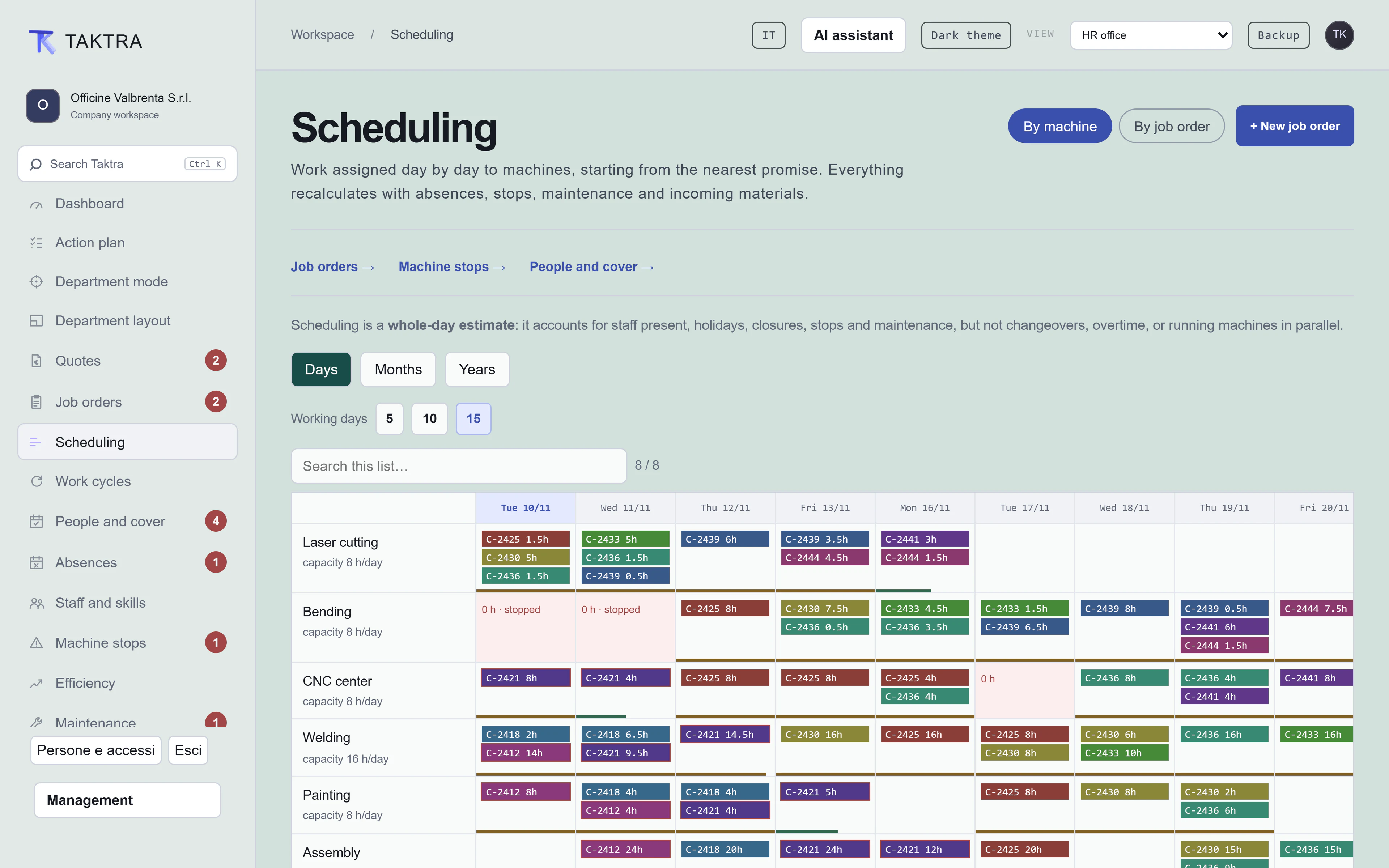
The plan follows each job stage by stage, machine by machine. A stoppage or an absence moves the dates the moment it happens.
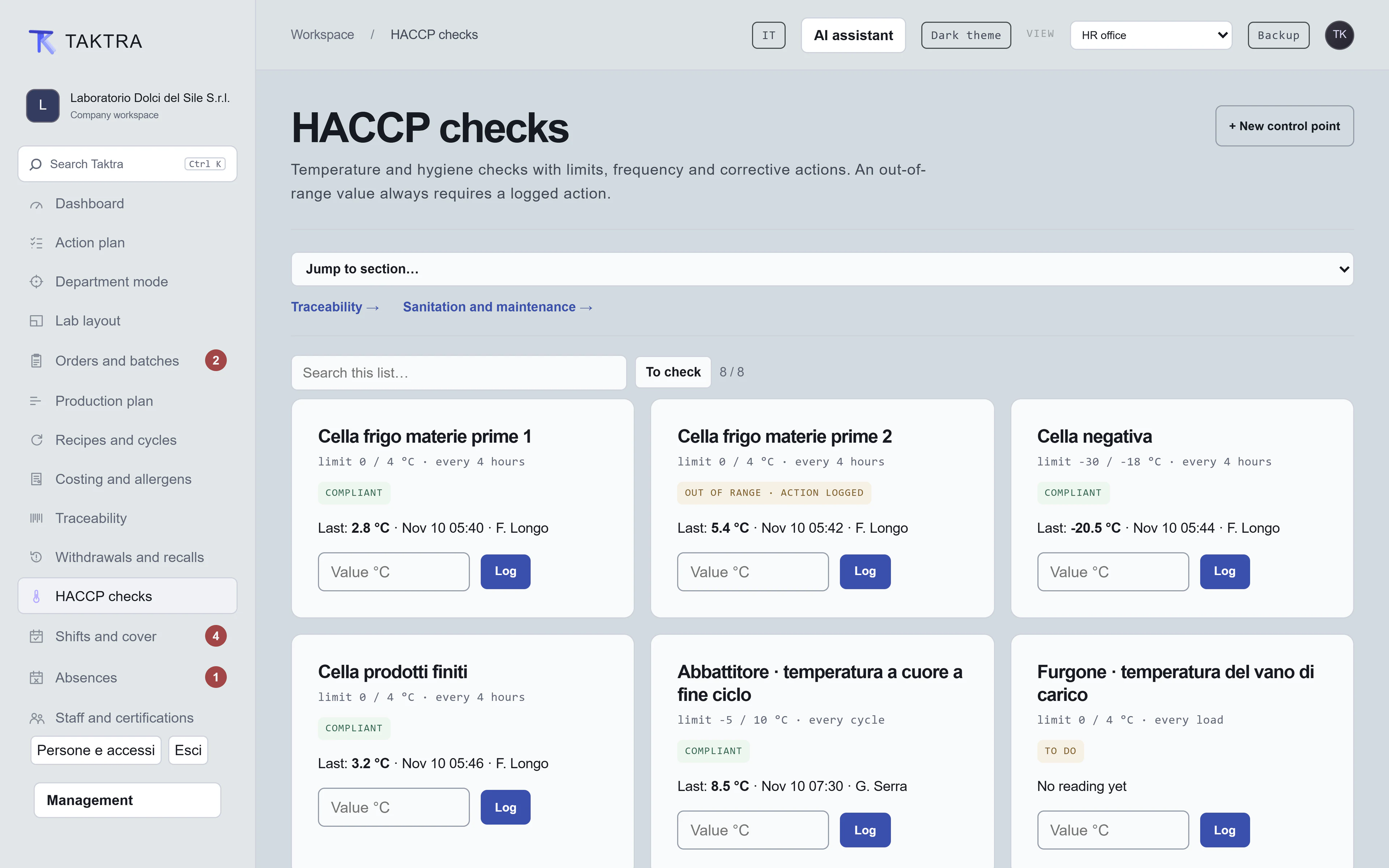
Every batch is a production order with its own promise. Checks, traceability and sanitation sit next to the plan, not in a binder.
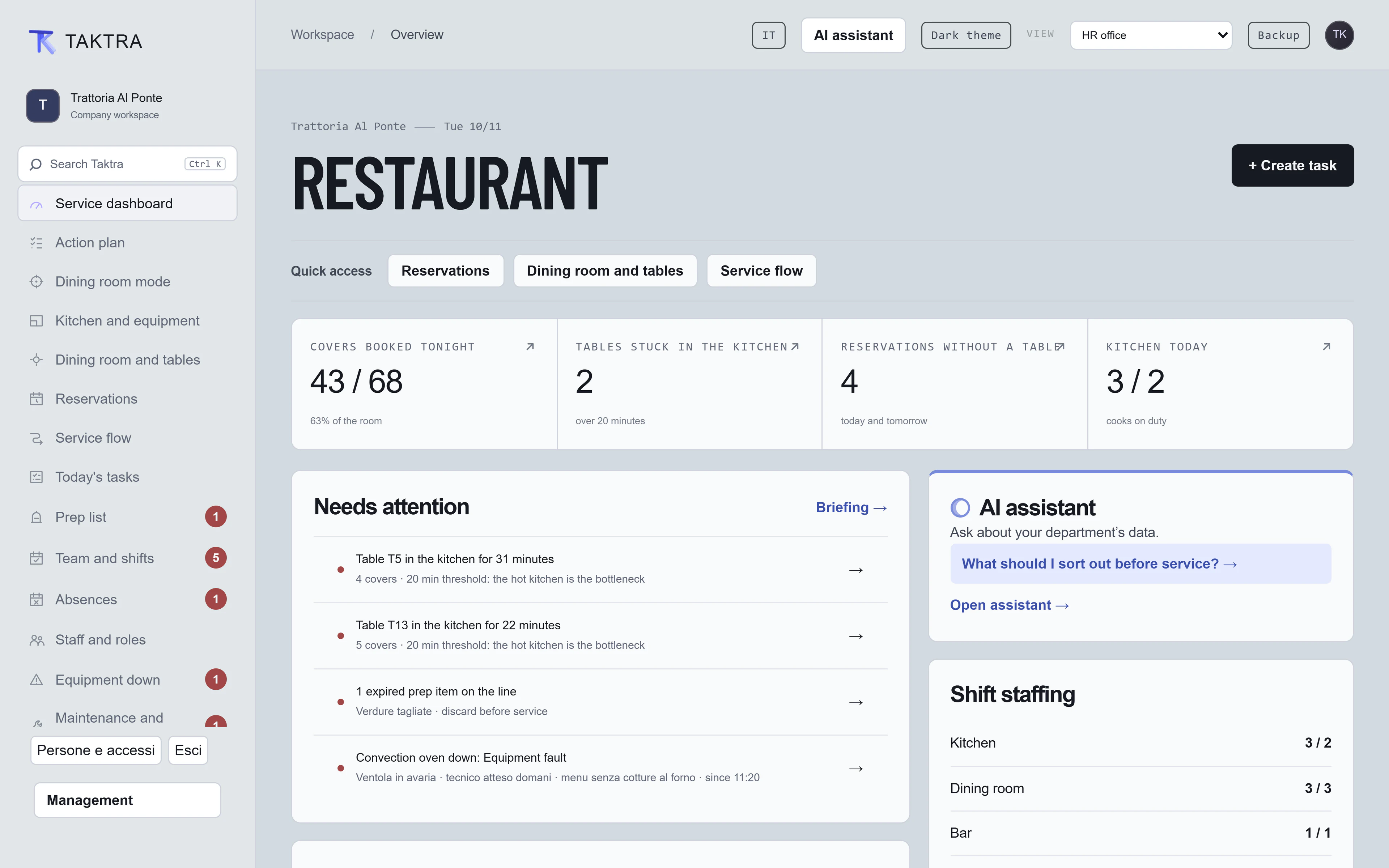
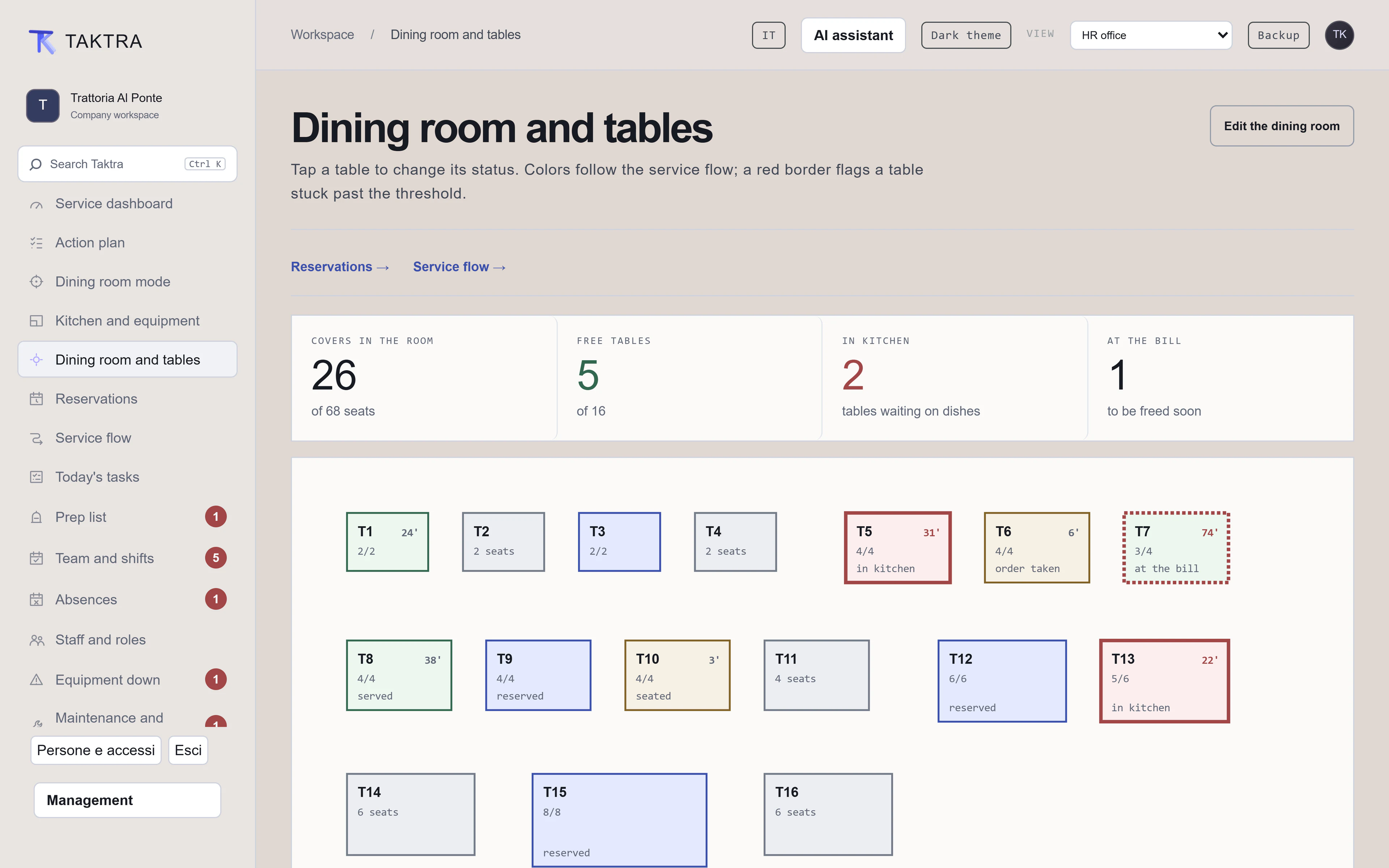
Reservations against capacity, tables that move forward with a tap, the stage slowing the evening down made obvious.
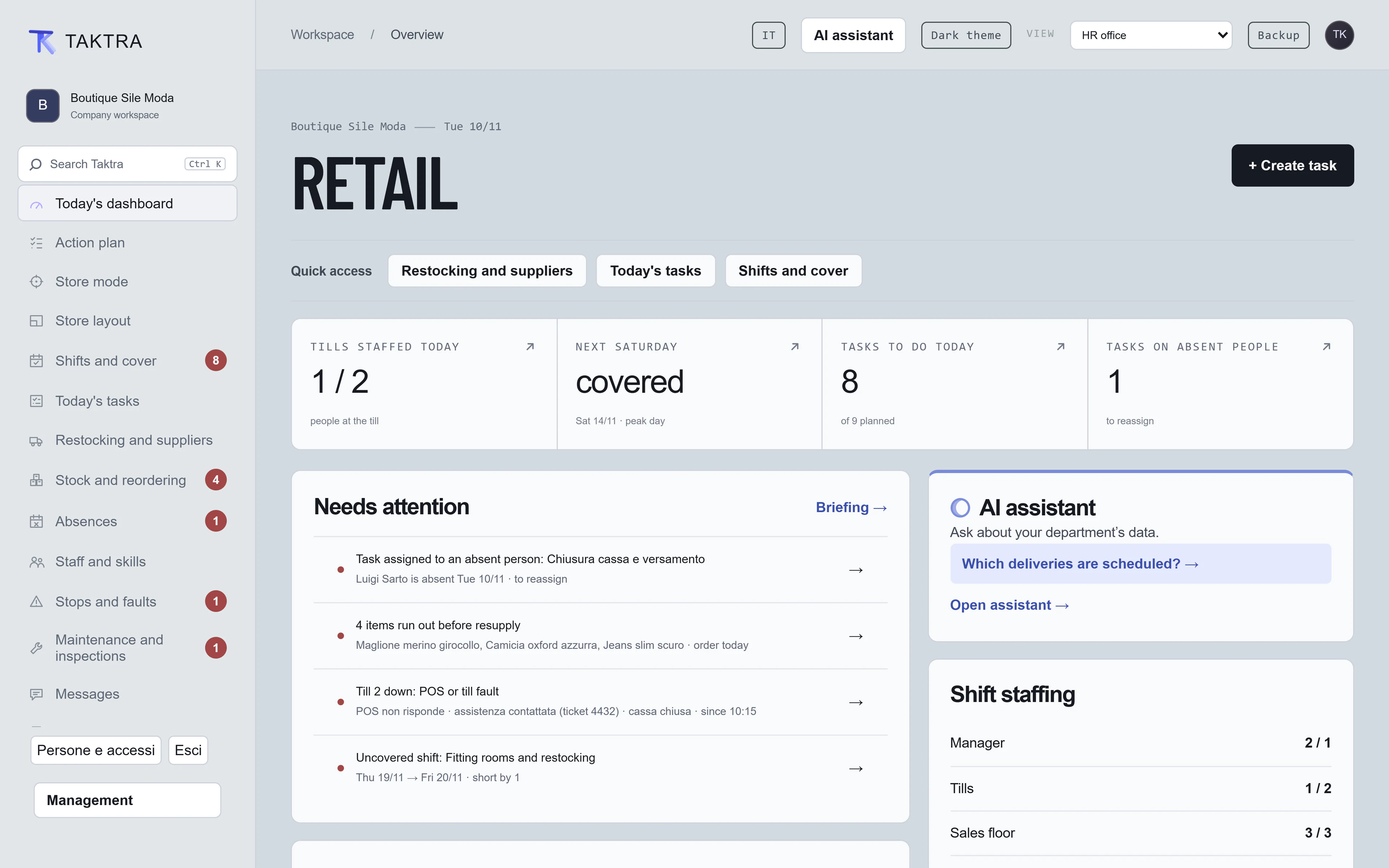
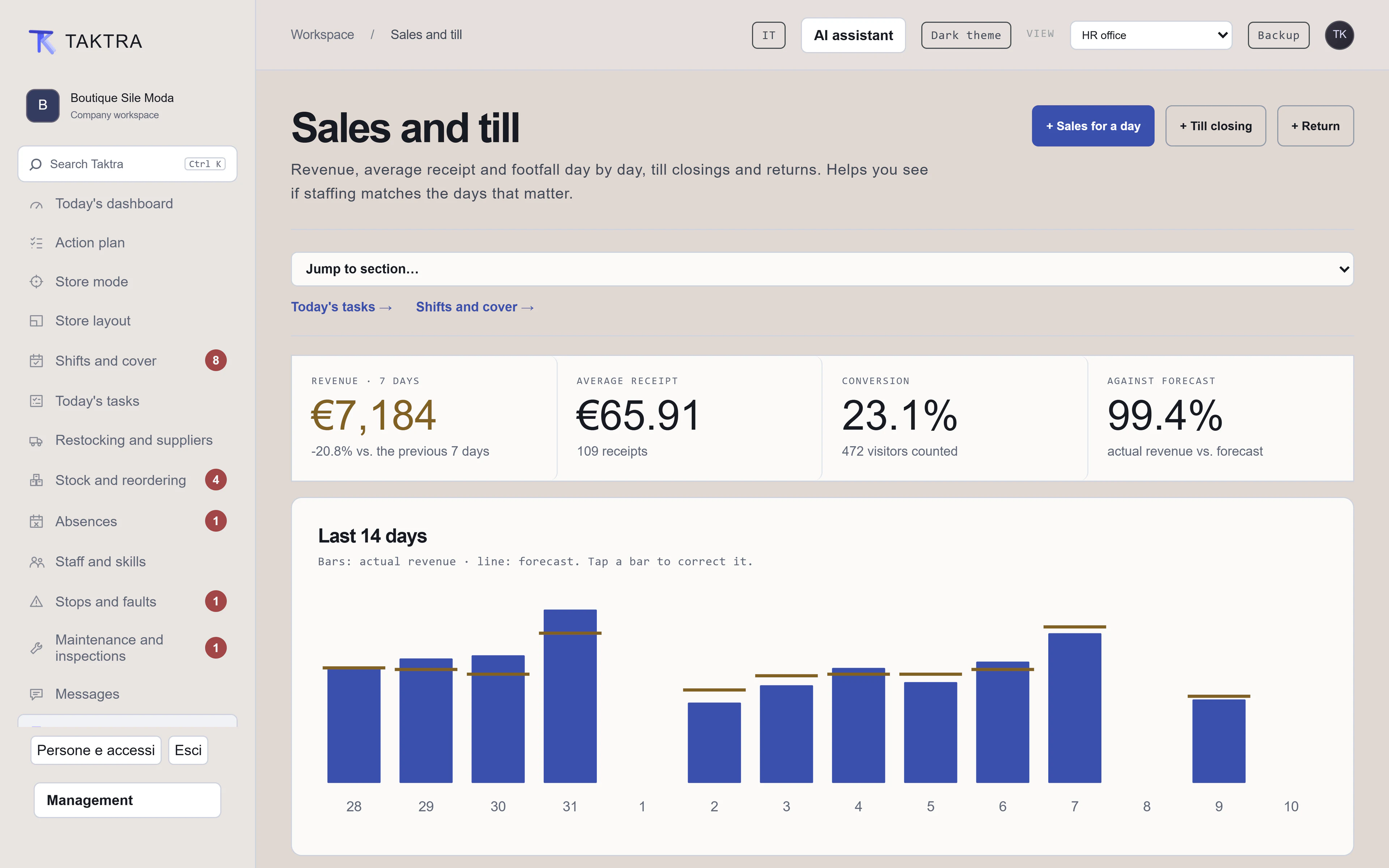
Who is in store, what has to be done today and how sales went: to see whether staffing is right on the days that matter.
A day with Taktra
A Tuesday in the workshop, using the app’s sample data.
Two deliveries late, one at risk, two open non-conformances and a caliper due for calibration. The “Needs attention” list is already in order of urgency.
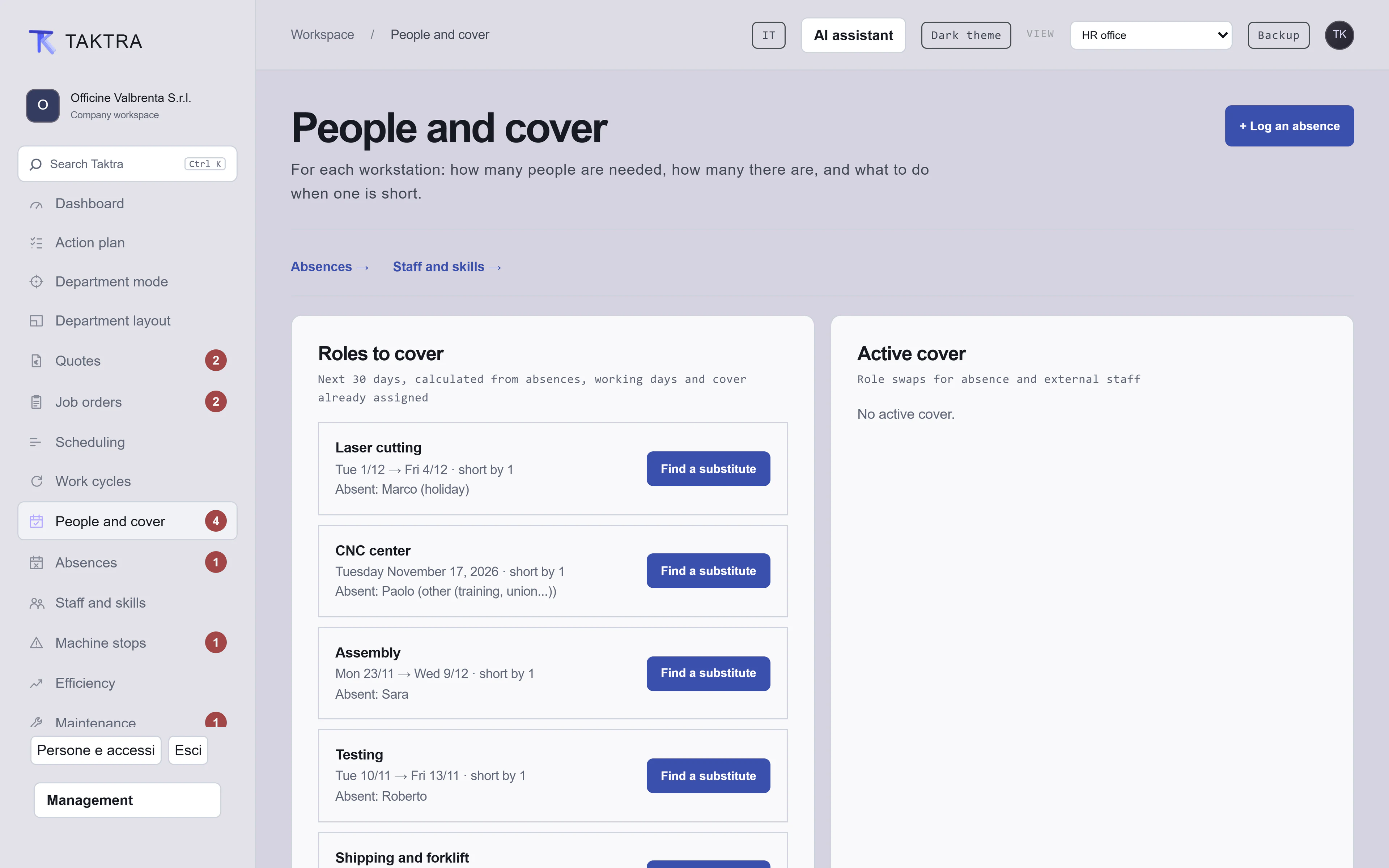
“Roles to cover” looks thirty days ahead: you see where someone is missing and look for cover from there.
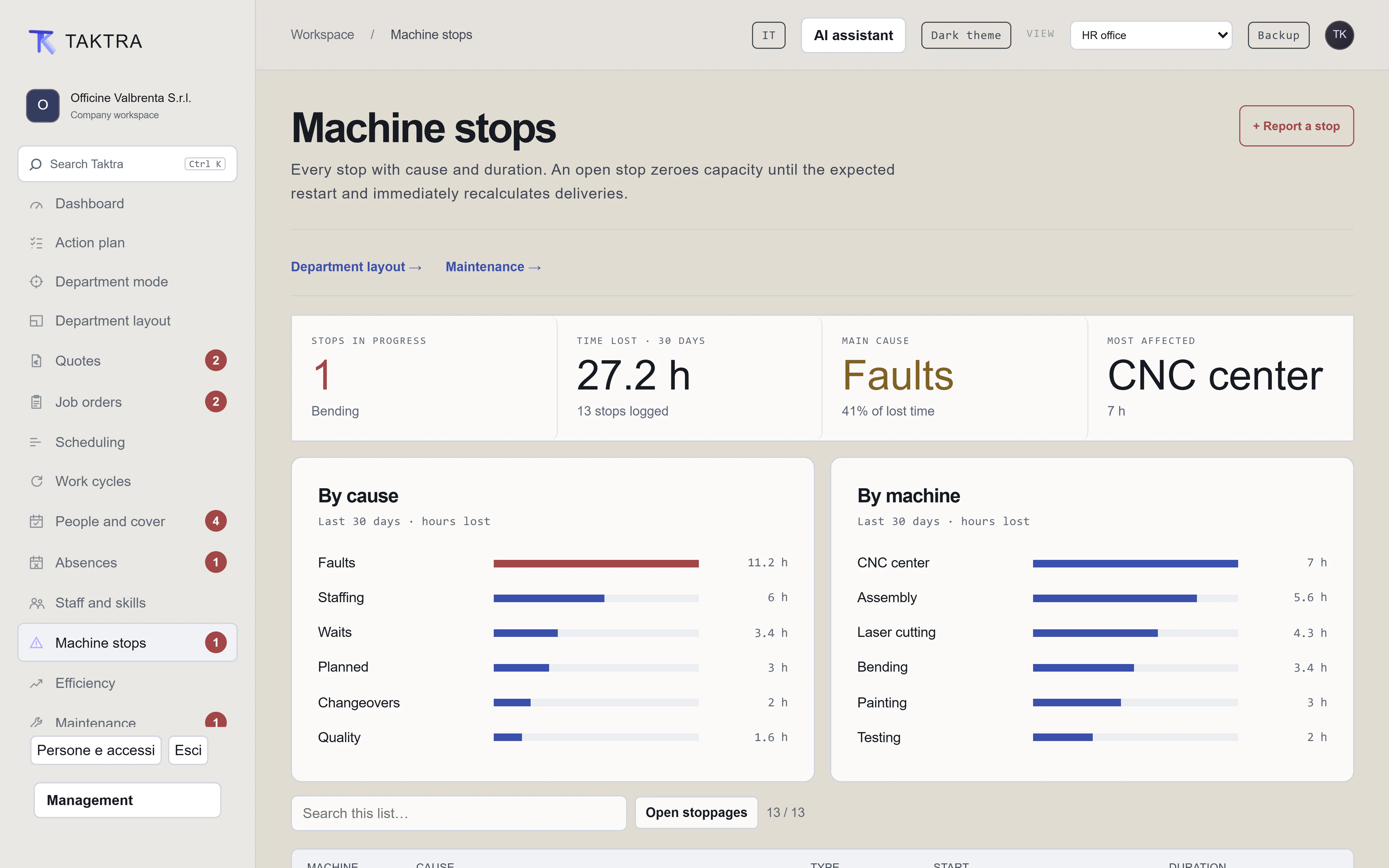
An open stoppage zeroes capacity until the expected restart and recalculates deliveries at once. Cause and duration stay on record.
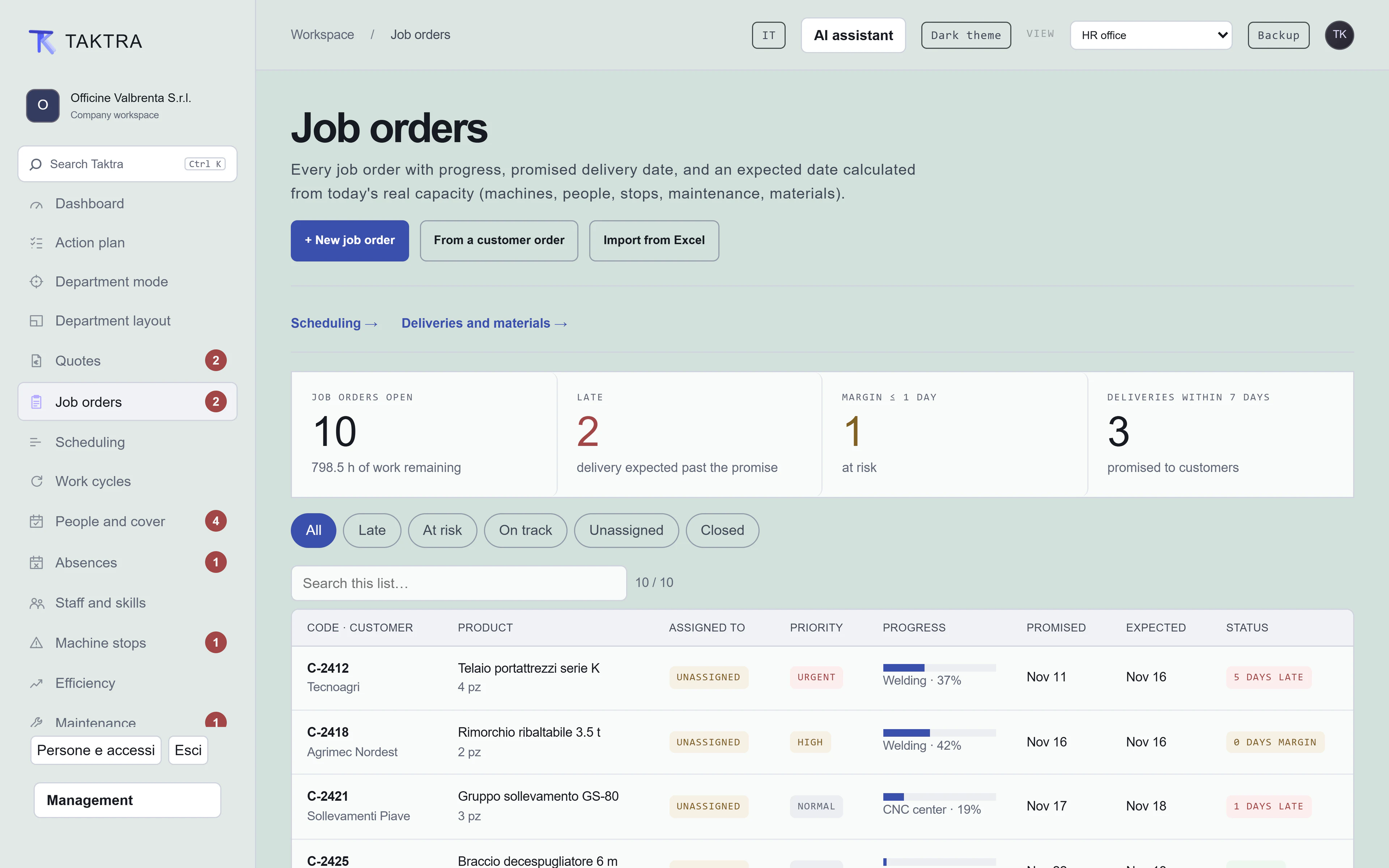
Every job shows the promise and the expected date, calculated from today’s capacity: machines, people, stoppages, maintenance, materials.
AI assistant
Taktra’s assistant sees only your company’s real data: orders, delays, cover, stoppages, deliveries. Write a question the way you would ask a colleague.
Sample question and answer, from the app’s sample data
It answers with what is in your company: nothing made up, no one else’s data.
At first set-up you describe how you work: the assistant proposes stages and stations, you check and edit.
It does not decide for you. Every proposal is read and confirmed by you.
From the office to the floor
Same data, different views. On computer, tablet and phone, with nothing to install.
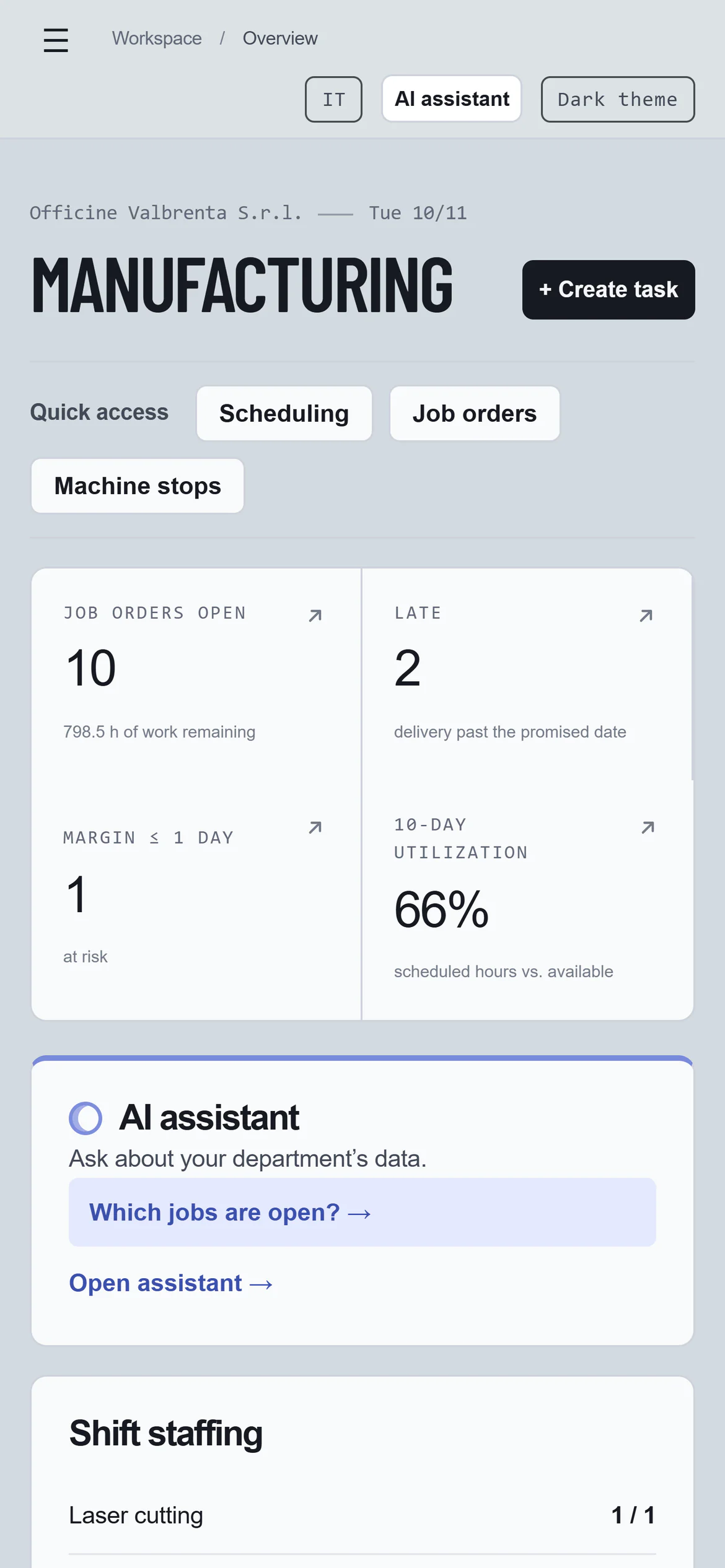
The dashboard with the numbers that matter and the list of what must be fixed today.
Absences and leave balances. Sensitive data is visible only in this view, and a diagnosis is never recorded.
The same plan without the reasons for absence: who is in, what needs doing, what is stopped.
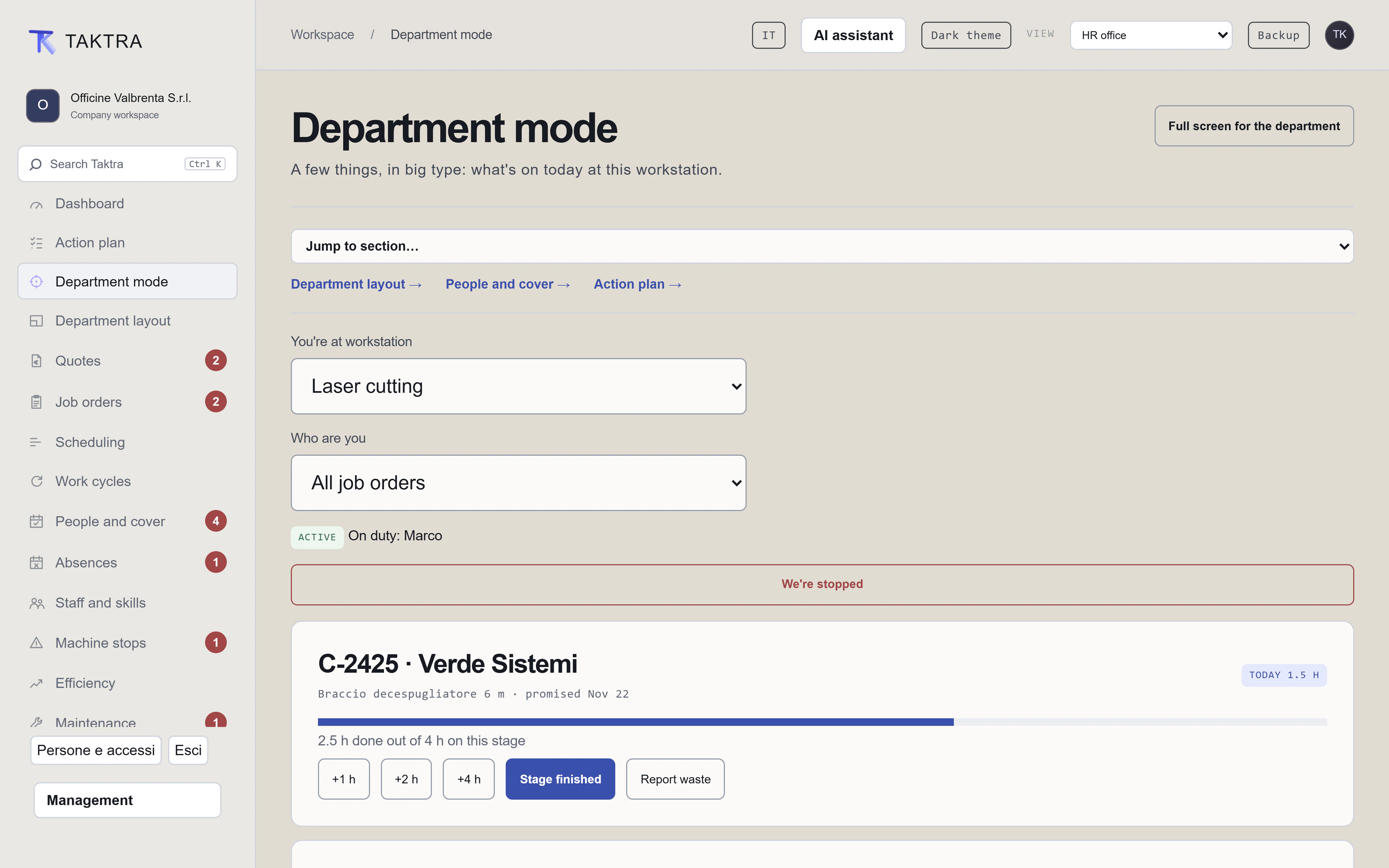
Department mode: a few things, big. What needs doing today, here, full screen.
Getting started
A guided, self-serve path with no onboarding project to pay for.
Open Taktra in the browser, choose your sector and enter the essentials.
You can start from the assistant’s proposal and correct it: stages, stations, numbers.
The plan becomes visible to those who need it. You can begin with a single flow.
Clear pricing
Every feature, up to 50 people. No per-user price, no set-up fee.
Launch offer for the first 10 companies: 50% off the first payment, monthly or annual, that is €34.95 for the first month or €349.50 for the first year. It applies if you subscribe by 31 December 2026, Italian time, even during the trial (you still pay only when the 30 days are over; if you cancel during the trial you pay nothing and the place is freed), unless all places are taken earlier (places left: –).
No card needed to start: 30 days free, then you decide whether to subscribe.
Operational data sits on servers in the EU, in an area reserved for your organisation. Encrypted connections.
During the trial and the subscription, export to Excel whenever you like. You can save and restore a backup copy.
Your card is entered on a secure Stripe page: the details never touch our servers. Data and security
The essential answers
Thirty days to see whether your team really uses it. Open Taktra in your browser, create your company and describe how you work.
No card needed to start: 30 days free, then you decide whether to subscribe.
Taktra’s virtual assistant
It answers by voice or in writing and, if you like, takes your details: then a member of our team writes to you. It is an AI, not a person.
When you open it, the conversation goes through ElevenLabs, which handles it on Taktra’s behalf. Privacy notice