
How it works
Three steps and you are running. No implementation project.
It is not an ERP to configure for three months. Describe how you work, correct the numbers and start coordinating.
Describe how you work.
Two lines as you would say them to a colleague. Taktra derives the stations, the roles and the sequence of your workflow.
“There are 12 of us, we build trailers to order. We cut, weld, assemble, then test and ship. Welding is always behind.”
Correct the numbers.
Names and roles come out nearly right. Capacity and load are a first estimate: you fix them in minutes, not in three weeks.
The name of each stage, who works on it, how many hours it can take in the period: week, day, shift or service.
The floor updates, you watch.
Whoever does the work marks a stage as done or a stoppage, with its reason. The office sees load, delays and the bottleneck update in the same instant.
One or two taps at a time, from department mode or from a phone.
Set-up
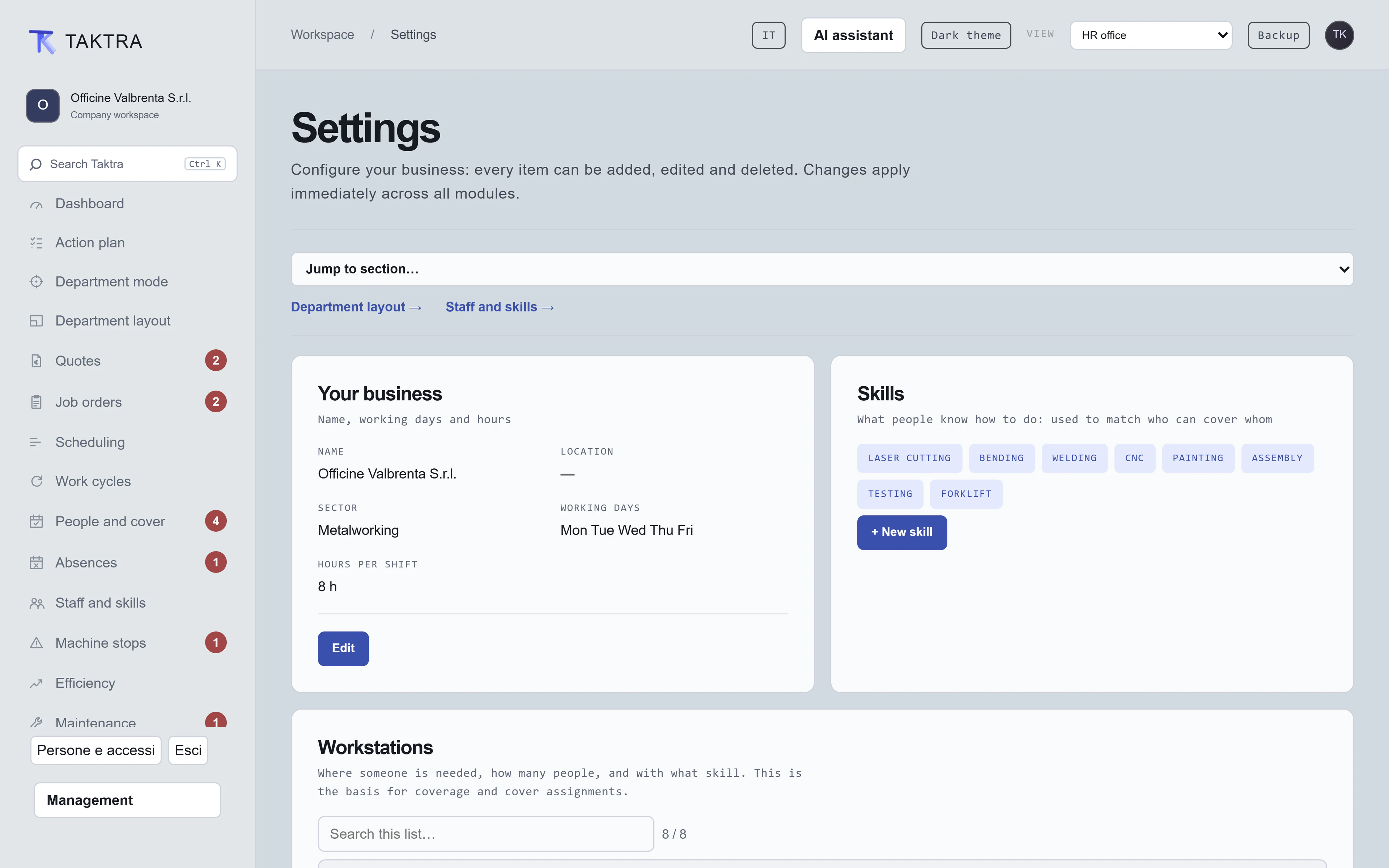
Everything is corrected in one place.
Skills, positions, machines, cycles, calendar: every entry can be added, edited and deleted, and applies at once across all modules.
The trial
The thirty days, day by day.
No surprises on the invoice: here is what happens and when.
Day 0 · You start at once
You create your account and work with your own data straight away. No card, no charge.
Weeks 1–4 · You really use it
Full trial, nothing locked. You see whether the floor uses it and whether the numbers add up.
Whenever you like · You decide
The “Free trial” button in the app shows the days left. If you subscribe during the trial, you only pay from the end of the thirty days.
Day 30 · The trial ends
To keep going you subscribe and enter your card on Stripe: the first charge is taken straight away. If you do not subscribe, you pay nothing.
Who sees what
The same data, three ways to look at it.
On the floor
Marks the stage as done or says it is stopped, with the reason. Nothing else to fill in.
In the office
Sees how many jobs are open, which are late and which are stopped, without going down to ask.
Whoever decides
Sees which station is over capacity and where it pays to move people or hours.
Video and guide
The complete guide, eighteen chapters.
Fourteen minutes: start-up, dashboard, people and absences, orders and scheduling, department mode, settings, sector modules and role-based access. Leave your details and we will send it within one working day.
Guide in Italian and English. Other languages on request.
Meanwhile, watch Taktra in 30 secondsGive your work
its shape.
Thirty days to see whether your team really uses it. Open Taktra in your browser, create your company and describe how you work.
No card needed to start: 30 days free, then you decide whether to subscribe.