
People, shifts and cover
Who is off, who covers.
For every position Taktra knows how many people are needed and how many there are. When one is missing you see it thirty days ahead, and look for cover from there.
How it works
It starts from positions, not names.
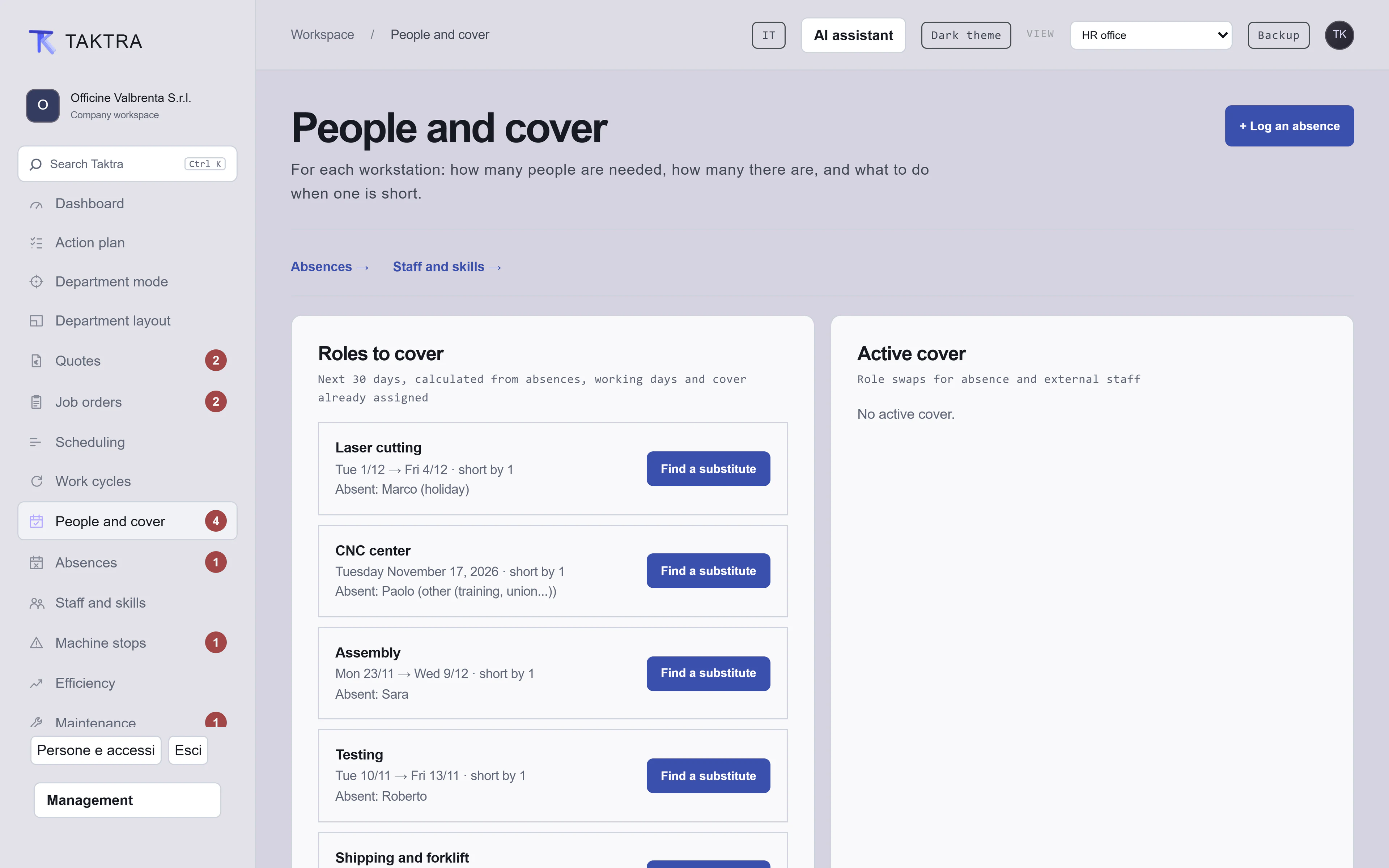
Need per position
For each position: how many people are needed, how many there are and what to do when one is missing.
Thirty days ahead
Roles to cover are calculated from absences, working days and cover already assigned.
Confidentiality
Sensitive data is visible only in the “HR office” view. A diagnosis is never recorded.
Sector by sector
Brigade, shifts, departments.
The logic is the same; what changes is the names of the positions and what matters to cover them.
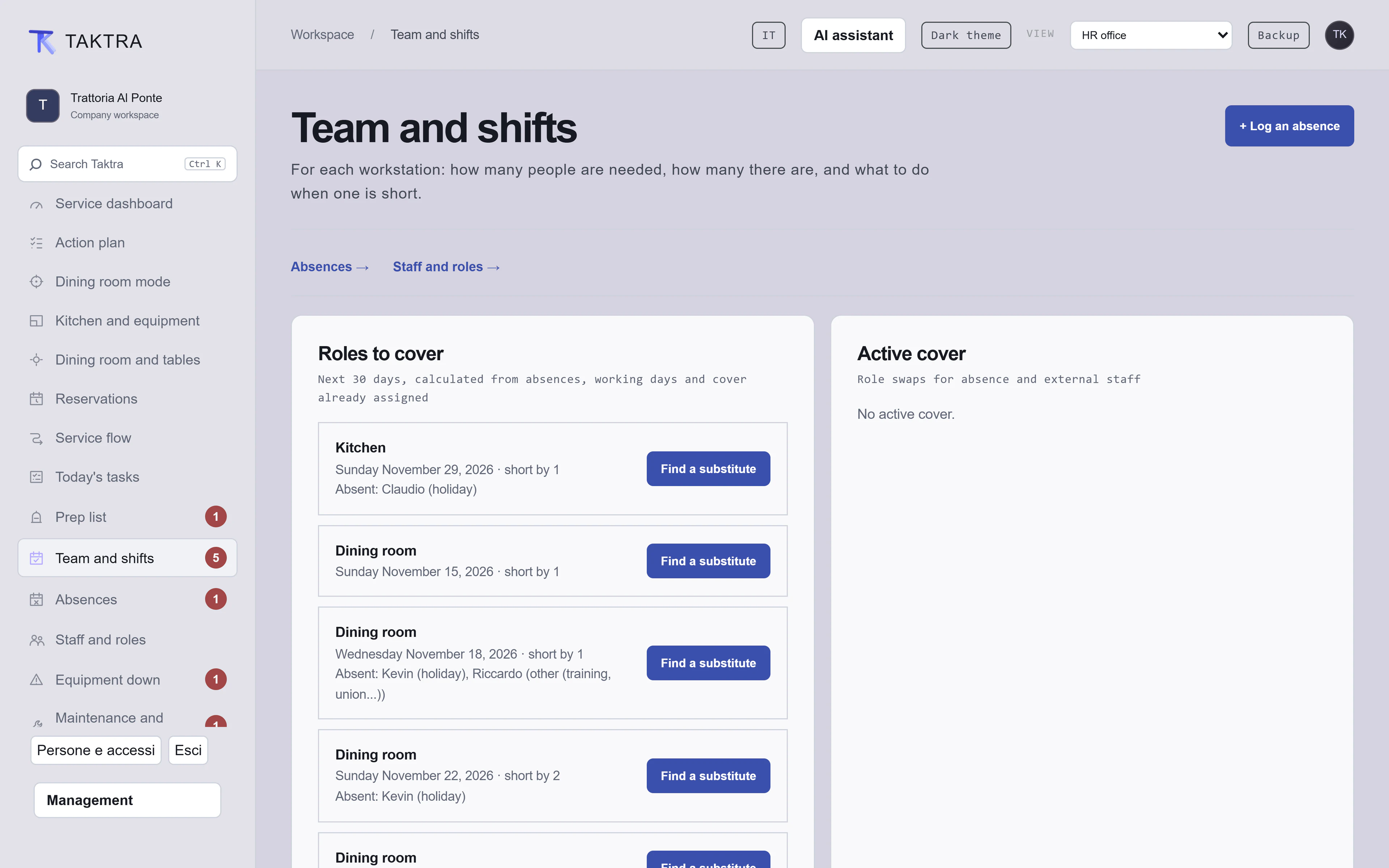
Skills on three levels.
Who can run the laser, the press brake, the CNC: staff records and the skills matrix say who can cover what.
- Usual position, skills and working days
- Remaining leave per person
- Staff can be imported from Excel
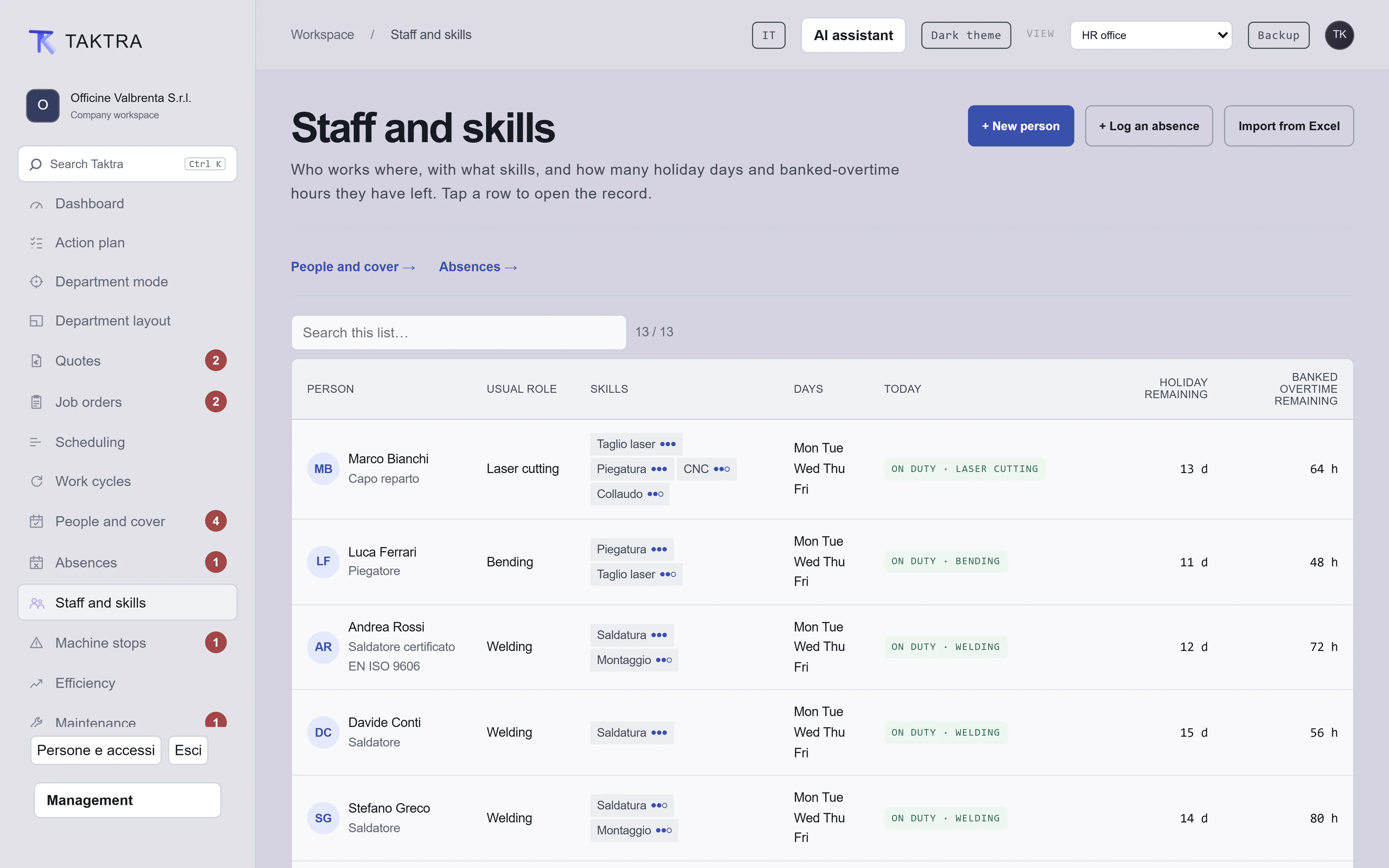
Shifts and health certification.
Next to skills and leave there is a health-certification column for each person.
- Gaps at the ovens, in packing, in dispatch
- Skills: mixing, oven, HACCP and quality, filling
- Four-week absence calendar
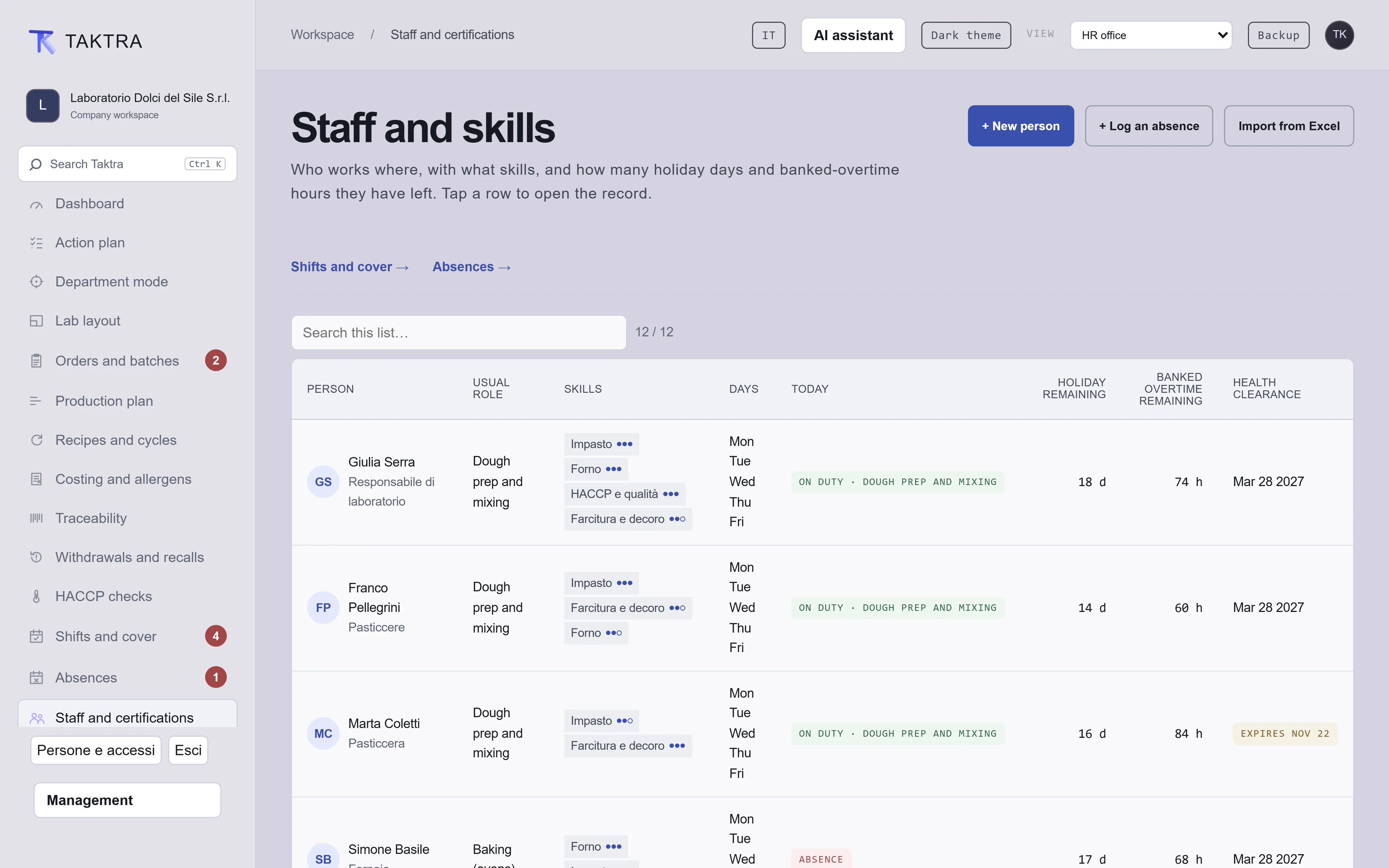
Kitchen, floor and bar.
Different working days for each person, days off and brigade roles. Gaps show before service, not during it.
- Chef, sous chef, cooks, floor, bar, wash-up
- Working days including weekends
- Tasks of absent people turn red
Tills and peak days.
The dashboard says whether next Saturday is covered. Every gap has a button to find cover.
- Manager, tills, departments, fitting rooms
- Tills staffed today, in view
- Skills: till, floor sales
Up close
Three screens, one answer.
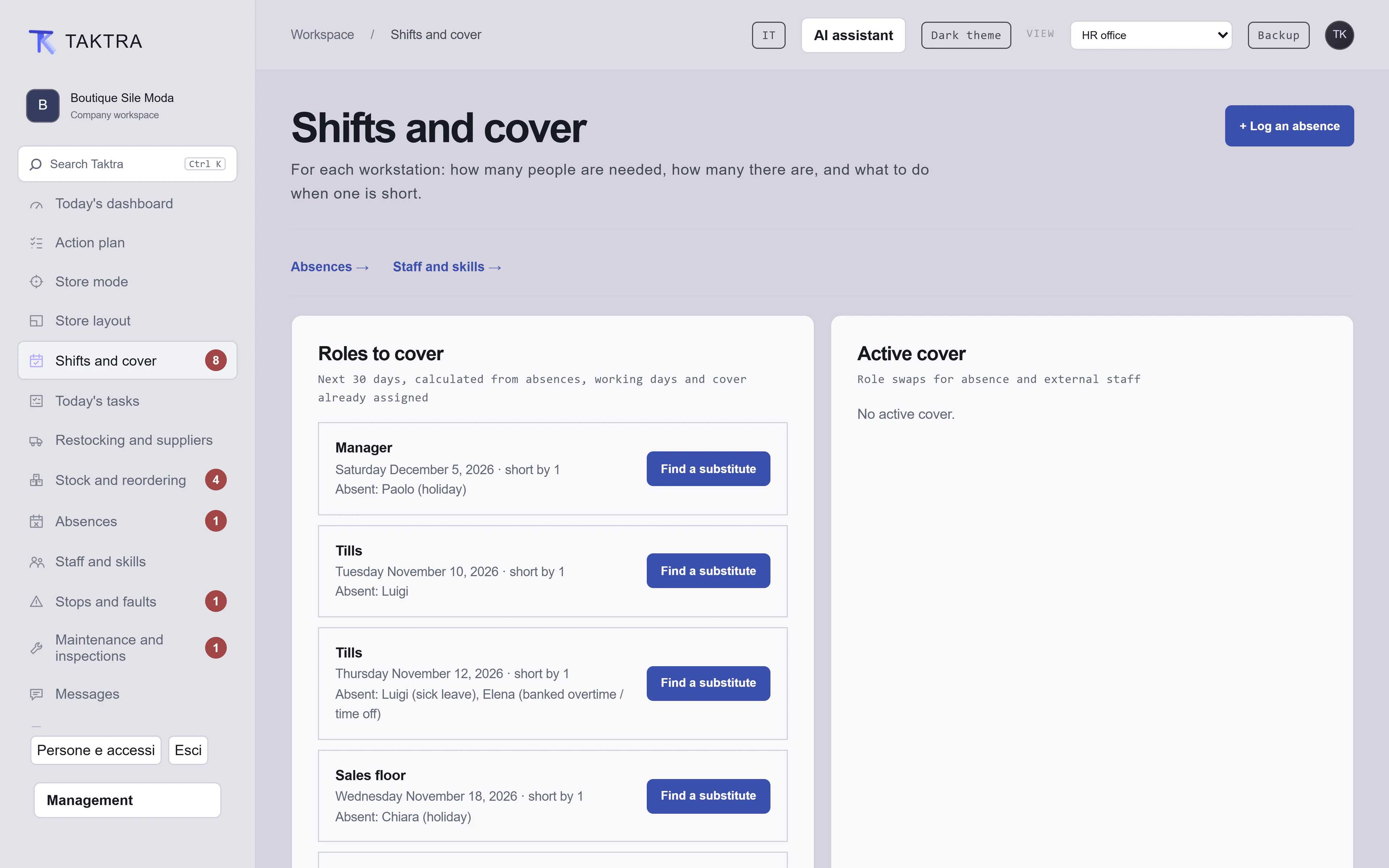
The roles to cover.
For every gap: dates, how many people are missing and who is absent. Below, active cover and coverage for the next 14 days.
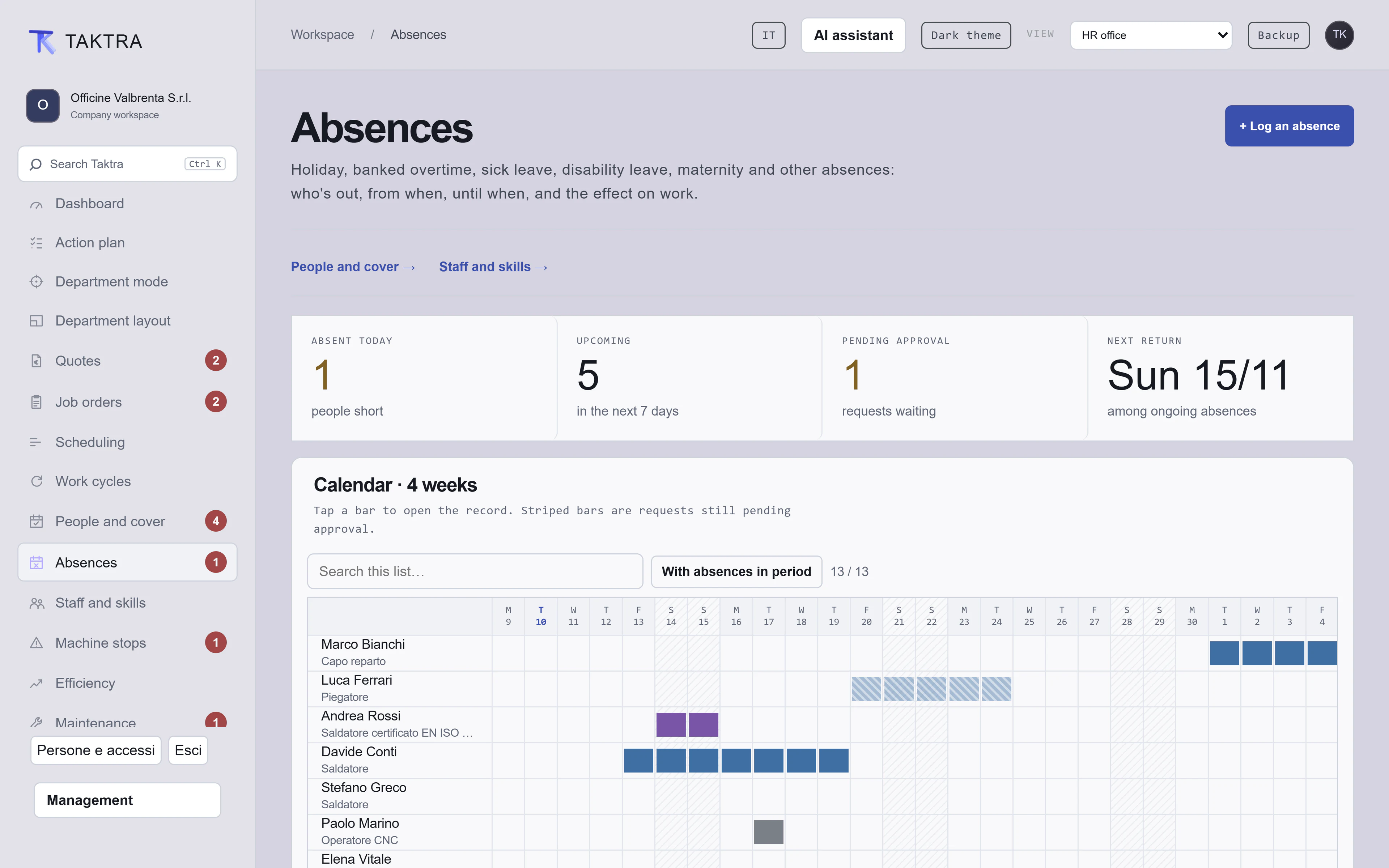
The absence calendar.
Four weeks at a glance: absent today, leaving in the next seven days, requests to approve and next return.
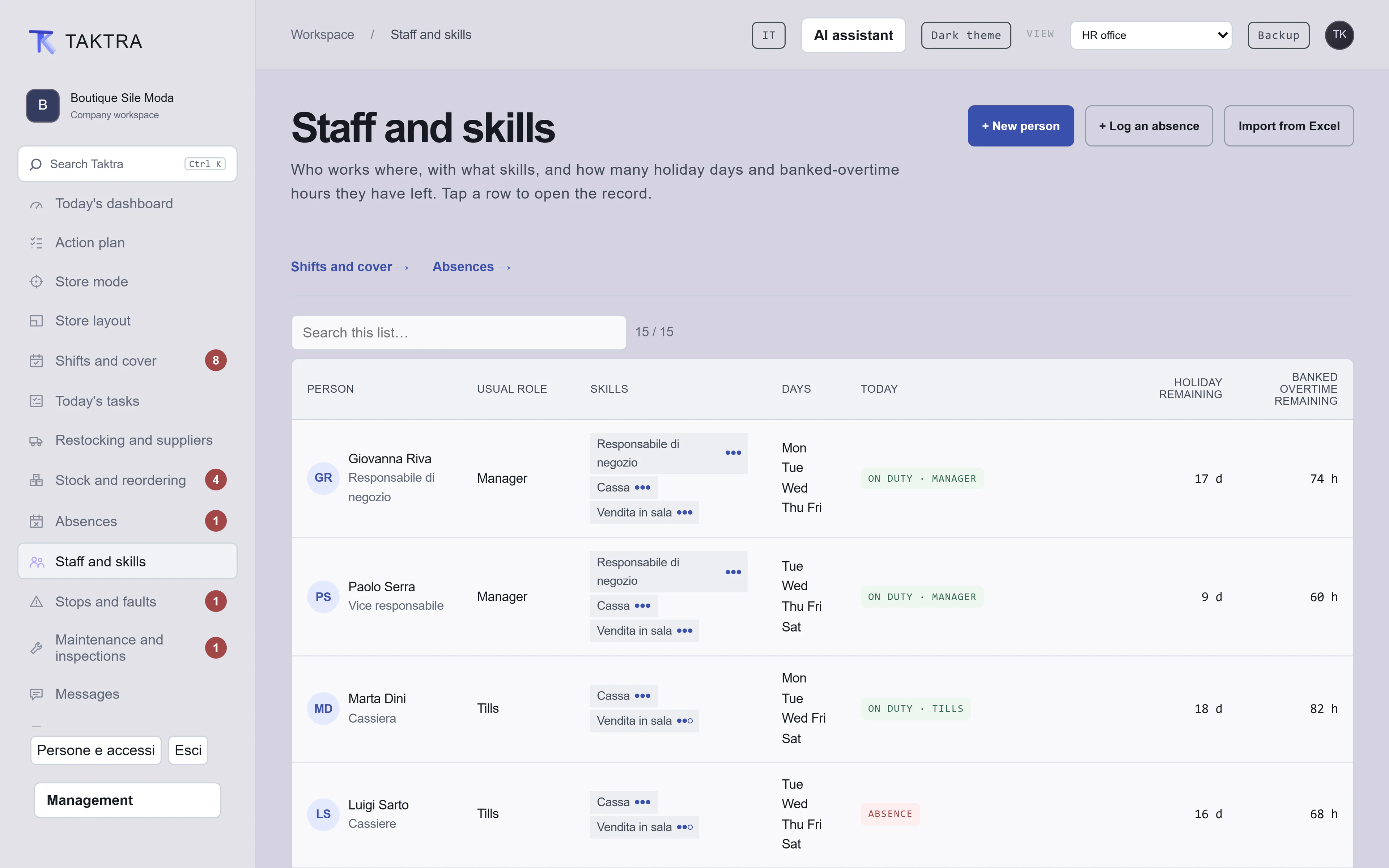
Who can do what.
Usual position, skills, working days, today’s status and remaining leave. Tap a row to open the record.
Honestly
What it does, and what it does not.
Better to know before you try it.
- Shows cover gaps for the next 30 days
- Keeps remaining leave and requests to approve
- Restricts sensitive data to the “HR office” view
- It is not payroll software: no payslips, no clocking in
- Leave rules are an operational simplification: they do not replace the collective agreement or your employment consultant
- It does not record diagnoses or medical certificates
Frequently asked
In short.
Who sees the reasons for absence?
How do I find cover?
Can I import my staff list?
Give your work
its shape.
Thirty days to see whether your team really uses it. Open Taktra in your browser, create your company and describe how you work.
No card needed to start: 30 days free, then you decide whether to subscribe.