
AI assistant
Ask, instead of searching.
Taktra’s assistant sees only your company’s real data: orders, delays, cover, stoppages, deliveries. Write a question the way you would ask a colleague — it is not a generic chatbot.
- C-2418Rimorchio ribaltabile 3.5 t
- C-2421Gruppo sollevamento GS-80
- C-2412Telaio portattrezzi serie K
- C-2425Braccio decespugliatore 6 m
- C-2430Serbatoio in acciaio 500 l
Sample question and answer, from the app’s sample data
How it works
Three commitments, spelled out.
Only your data
It answers with what is in your company: nothing made up, no data from other companies.
A base to correct
At first set-up you describe how you work: the assistant proposes a base you can check and edit.
You stay in control
It does not decide for you. Every proposal is read and confirmed by you.
Sector by sector
A question for every sector.
Every sector’s dashboard already has a question ready. These are the ones from the sample workspace.
“Which jobs are open?”
The answer is the list of jobs with product and date, taken from the floor’s data.
- Jobs and delays
- Cover and uncovered stations
- Stoppages and deliveries
- C-2418Rimorchio ribaltabile 3.5 t
- C-2421Gruppo sollevamento GS-80
- C-2412Telaio portattrezzi serie K
“Which batches are in progress?”
The list of batches with product, quantity and delivery date.
- Orders, batches and delays
- Uncovered shifts
- Deliveries and rounds
- L-0931Croissant al burro (lotto da 240 pz)
- L-0932Brioche vuote e farcite (lotto da 300 pz)
- L-0933Torta al cioccolato (lotto da 24 pz)
“What should I sort out before service?”
Before the evening starts, the list of what needs sorting out: tables stuck in the kitchen, expired prep, broken equipment, reservations without a table.
- Tables and kitchen times
- Prep and equipment
- Reservations and cover
- Tavolo T5In the kitchen for over 30 minutes: the hot line is the bottleneck
- Verdure tagliateExpired prep on the line, to throw away
- Forno a convezioneDown with a fault, technician due tomorrow
“Which deliveries are scheduled?”
The list of incoming goods with date, parcels and supplier.
- Incoming goods and returns
- Uncovered tills and shifts
- Tasks without an owner
- 11/1142 parcels · 610 garments
- 12/118 parcels · bags and tags
- 13/1118 parcels · 240 pairs
Up close
Where you find it, and what it does.
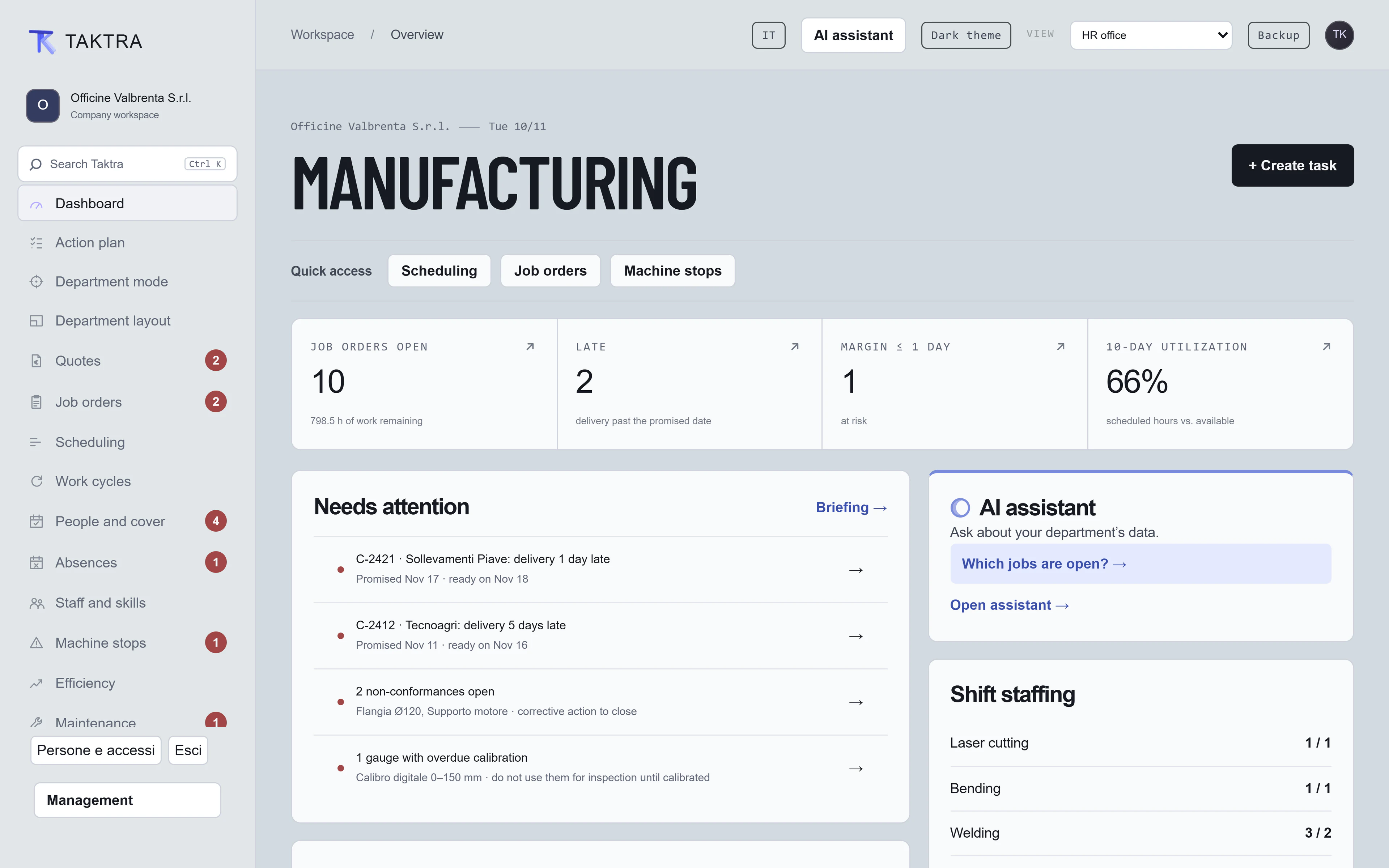
On the dashboard, within reach.
The “AI assistant” panel sits next to “Needs attention”, with a question ready. It also opens from the button at the top, from any screen.
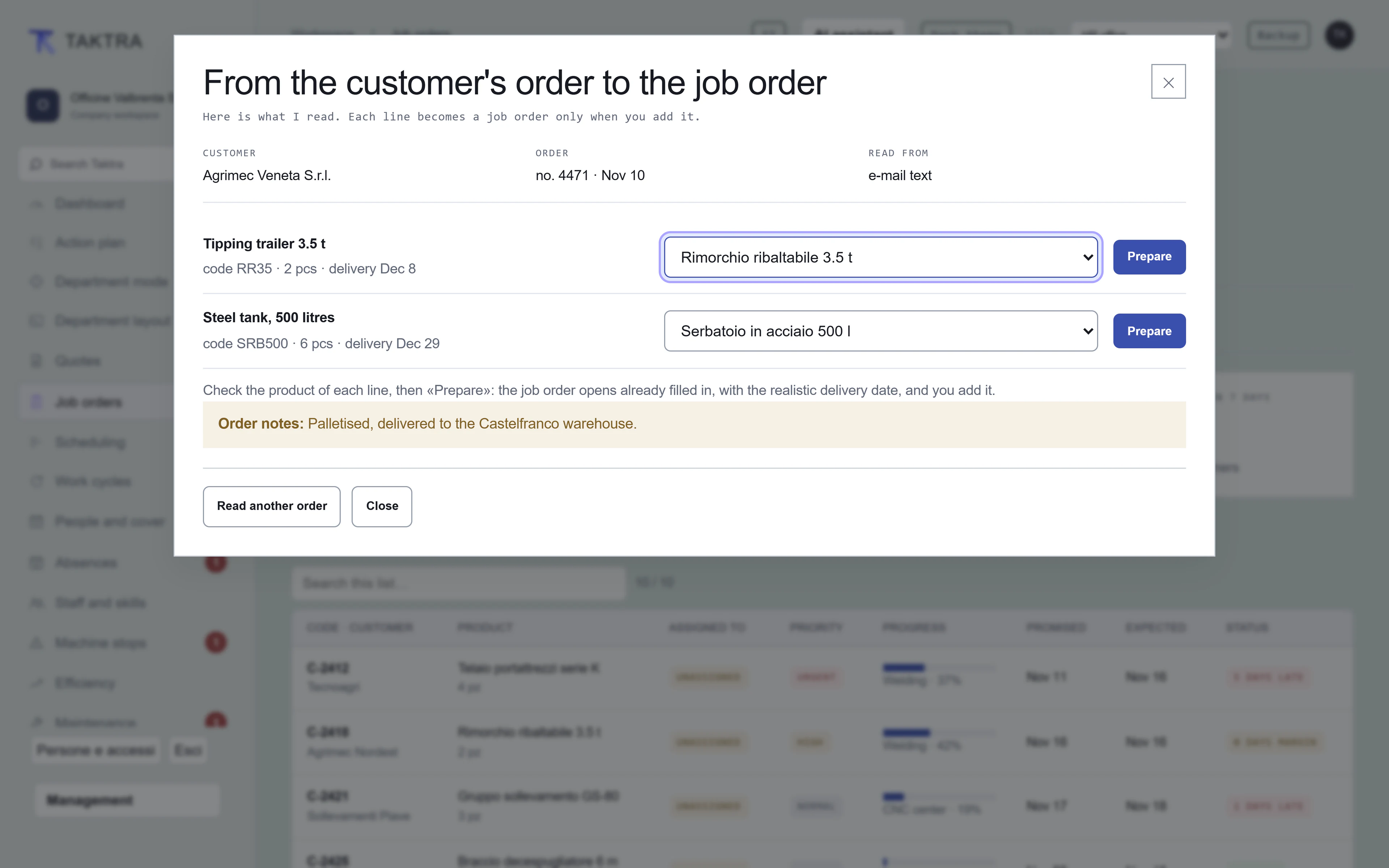
It reads customer orders.
In Job orders and in Orders and batches, “From a customer order”: from a PDF, a photo or the email text the AI works out customer, lines, quantities and dates, and prepares the jobs. They enter the schedule only when you confirm them.
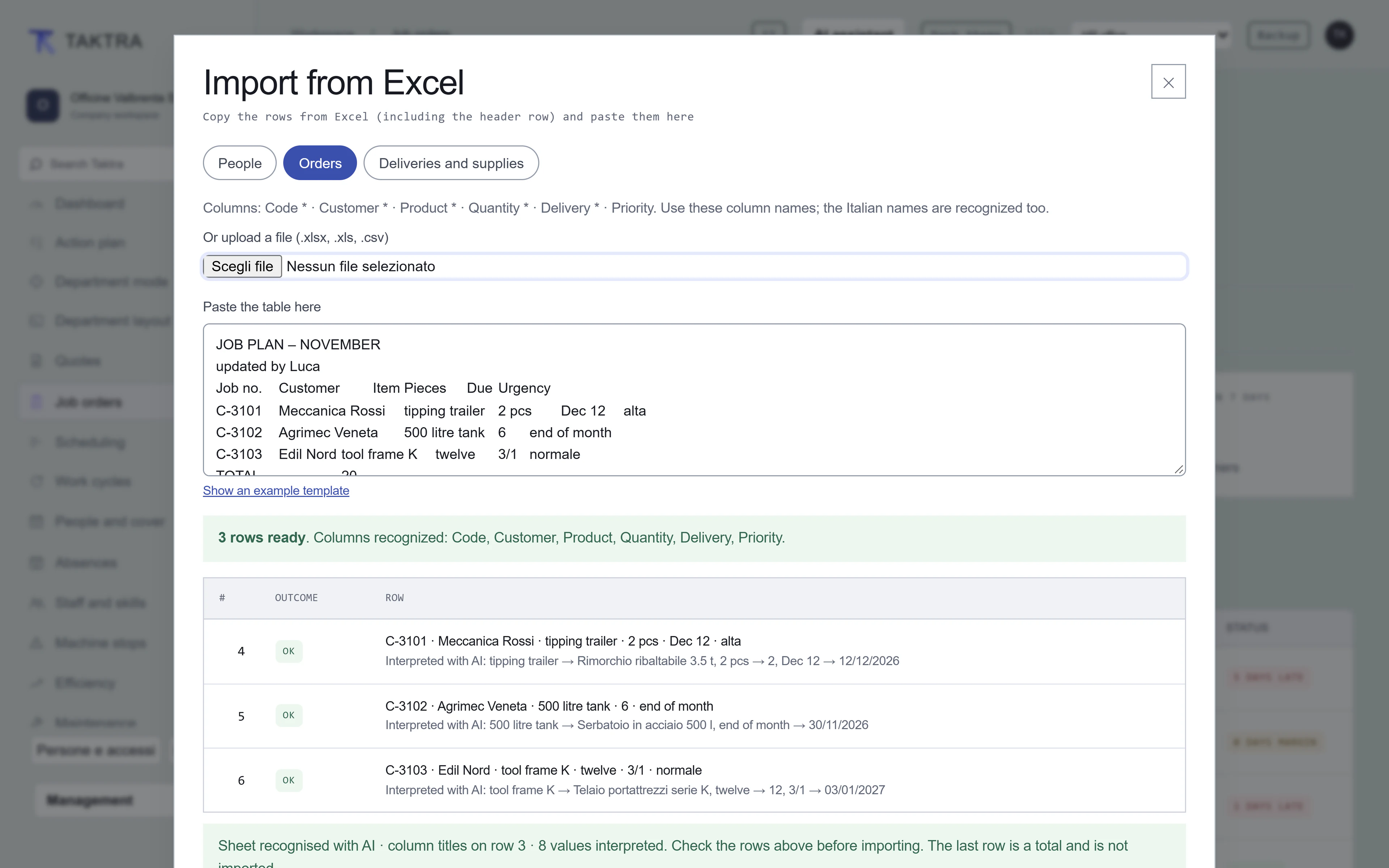
It understands messy Excel sheets.
When you import people, orders or deliveries and the sheet is not in the expected format, the AI recognises columns, title rows and hand-written dates. You see line by line how it read the values, then you import.
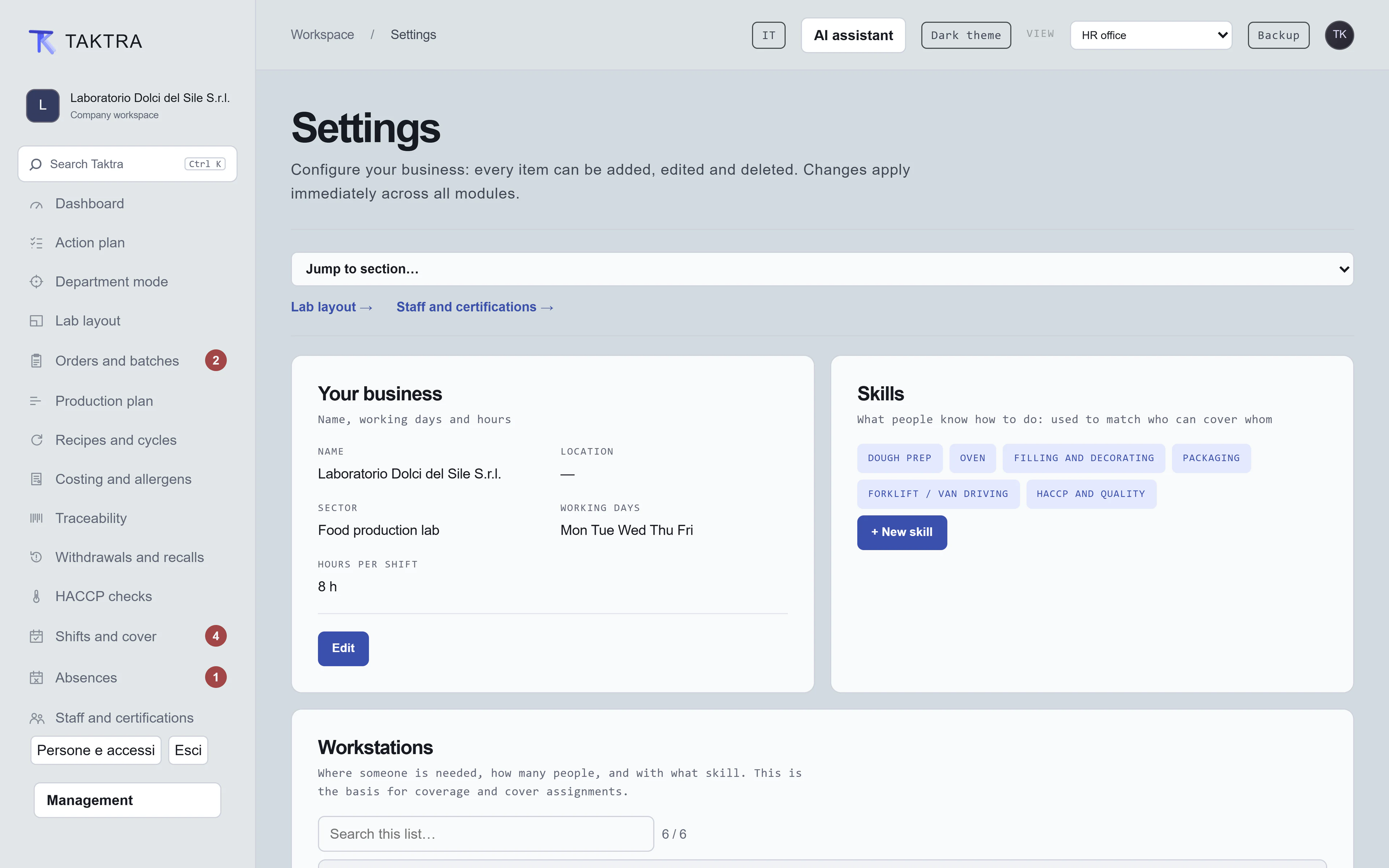
At first set-up.
Describe how you work: the assistant proposes positions, stations and stages. You check the proposal in settings and correct what is off.
Honestly
What it does, and what it does not.
Better to know before you try it.
- Answers questions about your company’s data
- Proposes a first configuration to correct
- Reads customer orders and the Excel sheets to import
- Opens from any screen
- It does not decide or change anything without your confirmation
- It does not use or see other companies’ data
- Free-form questions require a Taktra online account
Frequently asked
In short.
Does the AI decide for me?
What data does it answer with?
Is it a generic chatbot?
Where do the orders and sheets I have read end up?
Give your work
its shape.
Thirty days to see whether your team really uses it. Open Taktra in your browser, create your company and describe how you work.
No card needed to start: 30 days free, then you decide whether to subscribe.